
Kaddora WhatsApp Marketing for WooCommerce 🎀
User Documentation: 📜
Kaddora WhatsApp Marketing for WooCommerce is a communication and marketing automation plugin built for WooCommerce stores that want to engage customers directly through WhatsApp. It helps store owners send promotional campaigns, monitor message activity, recover abandoned carts, and manage message settings from one organized admin dashboard.
The plugin is designed to simplify WhatsApp-based customer communication inside WordPress so that store administrators can manage outreach, reminders, and activity logs without relying only on traditional email systems.
📑 Table of Contents
1. Introduction 🎗️
Kaddora WhatsApp Marketing for WooCommerce is designed to help WooCommerce store owners improve customer communication and marketing efficiency by using WhatsApp as a direct communication channel.
The plugin combines campaign management, store messaging, activity tracking, and cart recovery functions into one streamlined workflow. This makes it easier for administrators to manage important customer communication without switching between multiple systems.
- Direct customer communication through WhatsApp
- Campaign creation and promotional outreach
- Message activity tracking and monitoring
- Abandoned cart recovery support
- Centralized settings and message control
Main Benefits:
- Improves customer engagement with faster messaging
- Supports organized campaign execution
- Provides visibility through logs and dashboard summaries
- Helps recover sales opportunities through follow-up reminders
- Creates a practical communication workflow inside WooCommerce
2. Requirements & Compatibility 📌
Before installing the plugin, confirm that your website environment is ready for WooCommerce-based WhatsApp communication features.
Minimum Requirements:
| WordPress 6.0 or higher |
| WooCommerce Installed and Active |
| PHP 7.4 or higher |
| WhatsApp API Required |
Recommended Environment:
| WordPress 6.x |
| PHP 8.0+ |
| Updated WooCommerce version |
| HTTPS enabled website |
The plugin depends on WooCommerce events, customer data, and order-related activity. Make sure WooCommerce is installed and active before using the plugin.
3. Plugin Installation 🦚
- Go to the WordPress Dashboard
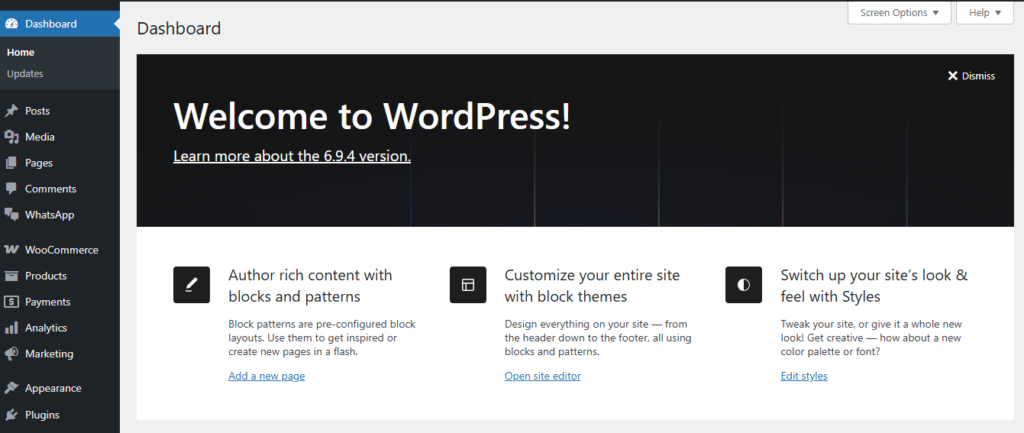
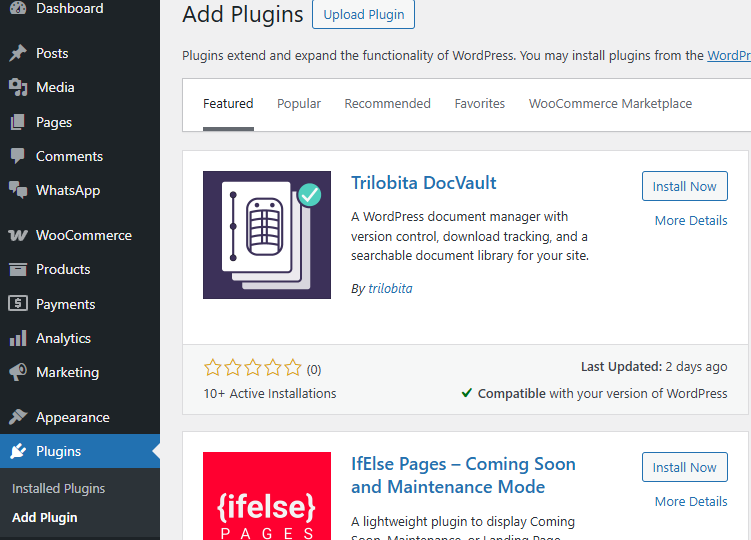
- Plugins → Add New
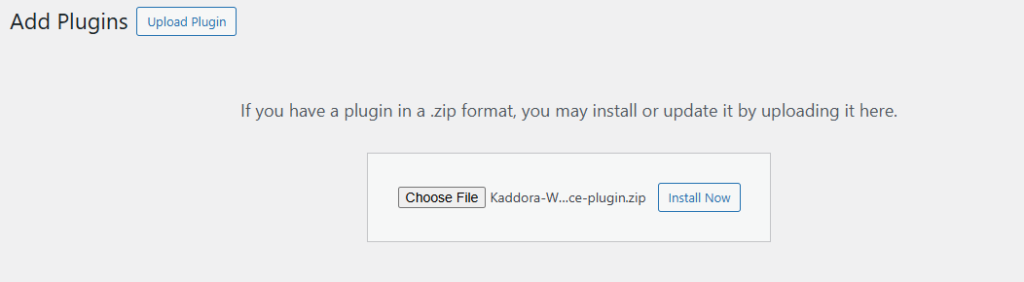
- Upload Plugin > Choose the Kaddora-WhatsApp-Marketing-for-WooCommerce.zip plugin file and click Install Now
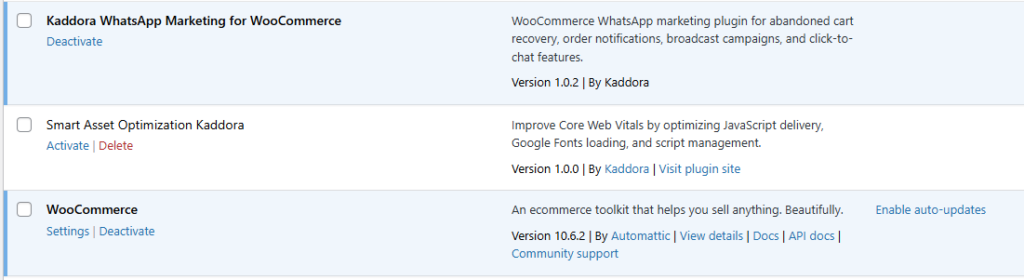
- After successful installation and activation of the plugin, you will see Kaddora WhatsApp Marketing for WooCommerce in your installed plugins section, where you can review the version and description of the plugin.

- Make sure WooCommerce is installed and active before opening the plugin menu, because the plugin depends on WooCommerce data for campaign operations, WhatsApp activity, abandoned cart tracking, and customer communication.
- In the WordPress dashboard, you will see the plugin menu in the admin sidebar. Click it to access Dashboard, Campaigns, WhatsApp Logs, Abandoned Cart, and Settings.
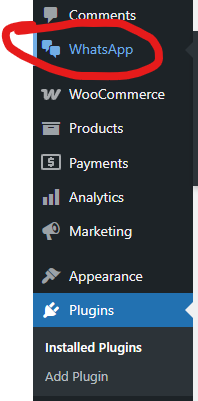
After activation, the plugin is ready for configuration. You can review the dashboard, manage campaigns, check logs, configure settings, and use abandoned cart messaging workflows from the admin area.
4. Dashboard 🛠️
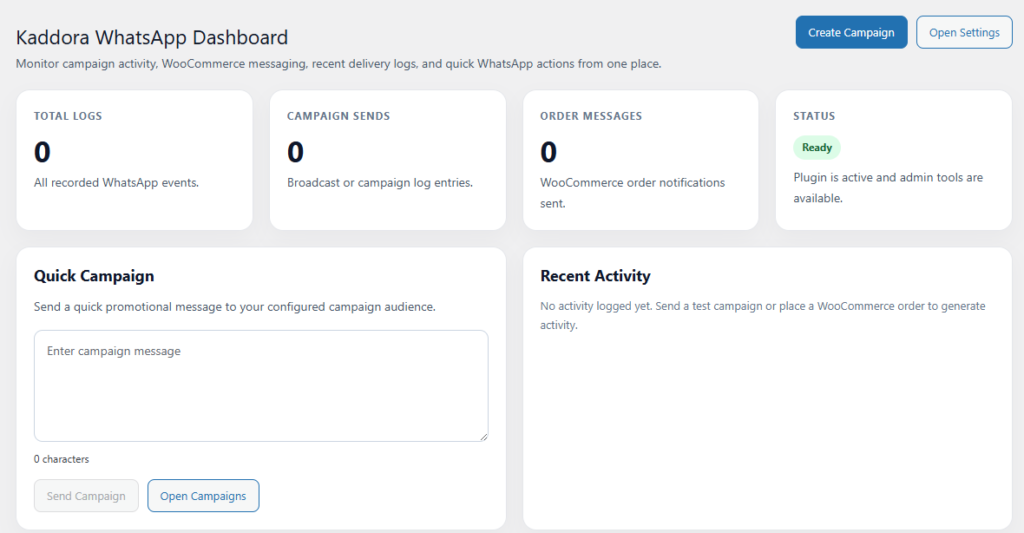
The Dashboard is the main control area of the plugin. It provides a quick summary of communication activity and gives administrators a clear view of plugin usage and WhatsApp-related operations.
The dashboard is built to help administrators review store communication performance without opening multiple pages. It makes daily monitoring faster and more efficient.
- Total Logs: Shows the total number of recorded WhatsApp-related events.
- Campaign Sends: Displays how many campaigns have been executed.
- Order Message Activity: Helps track message actions connected to WooCommerce operations.
- Status Overview: Provides quick visibility into plugin readiness and communication flow.
- Quick Campaign Area: Supports fast promotional message actions from the dashboard screen.
- Recent Activity Review: Helps administrators monitor the latest message-related events.
The dashboard is useful for store owners who want immediate operational insight and a practical starting point for daily message management.
5. Campaigns 📢
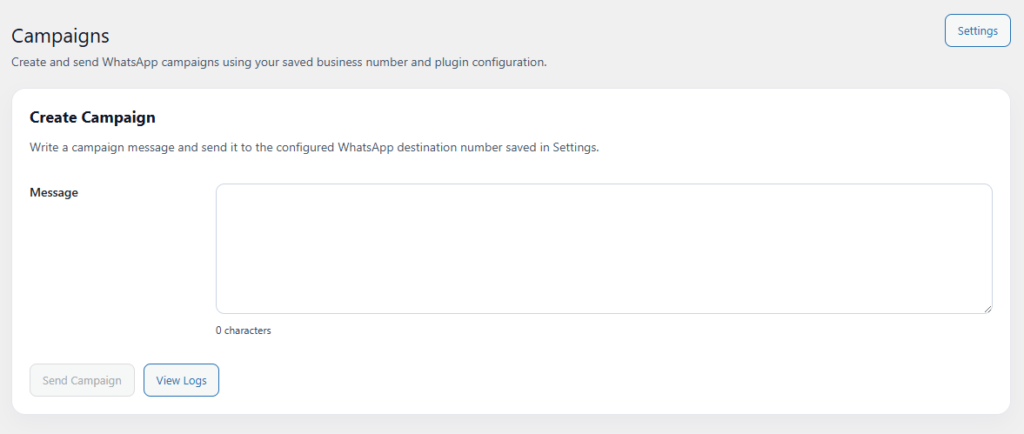
The Campaigns section is used to create and manage promotional WhatsApp messages for WooCommerce customers. It provides a dedicated area for direct outreach, customer notifications, and organized marketing communication.
This section helps store administrators plan campaigns in a controlled and consistent way so customer communication remains organized and easy to monitor.
- Create Campaigns: Build WhatsApp messages for selected audiences.
- Edit Campaigns: Update campaign content before sending.
- Audience Selection: Organize campaign messaging for intended customer groups.
- Message Review: Check campaign details before launch.
- Execution Monitoring: Track campaign usage and communication activity.
The campaigns area is valuable for announcements, promotional messages, special offers, follow-up communication, and customer engagement efforts inside WooCommerce.
6. WhatsApp Logs 📋
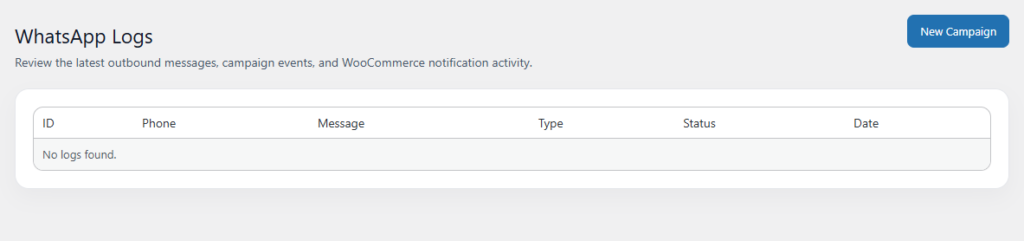
The WhatsApp Logs section records plugin messaging activity and helps administrators review what actions have occurred across campaigns and WooCommerce-related message events.
This section is important for operational review, testing, and troubleshooting because it helps identify whether expected actions were triggered successfully.
- Message History: Maintains a record of WhatsApp-related events.
- Status Visibility: Helps identify whether actions completed successfully.
- Error Review: Supports investigation of failed or incomplete communication actions.
- Administrative Monitoring: Helps teams verify ongoing message activity.
- Operational Support: Useful during testing, configuration, and live campaign review.
Regular use of the logs section helps administrators validate message flow and keep store communication reliable and transparent.
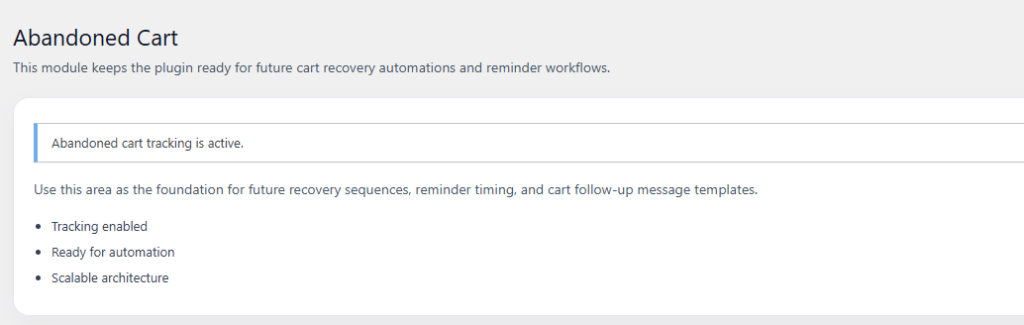
7. Abandoned Cart 🛒
The Abandoned Cart section focuses on cart recovery. It helps store owners reconnect with customers who left products in their cart without completing checkout.
This feature supports direct follow-up through WhatsApp, which can help store owners recover sales opportunities more effectively than relying only on delayed email reminders.
- Cart Monitoring: Supports tracking of incomplete WooCommerce checkout activity.
- Recovery Messaging: Helps send follow-up reminders to customers.
- Customer Re-engagement: Encourages users to return and complete their purchase.
- Revenue Recovery Support: Helps reduce lost sales opportunities.
- Centralized Workflow: Keeps abandoned cart operations inside the same plugin environment.
This section is especially useful for stores that want to improve conversions and reduce cart abandonment with direct and timely customer communication.
8. Settings ⚙️
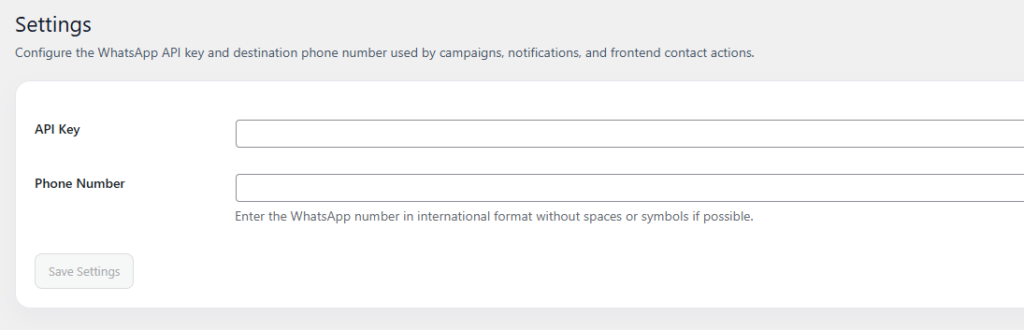
The Settings section is used to configure the plugin for WhatsApp communication. This is where administrators add service connection details and define the basic operational behavior of the plugin.
Correct configuration is required because campaigns, logs, abandoned cart workflows, and dashboard activity all depend on valid settings.
- API Token: Used for authentication with the selected WhatsApp service.
- Phone Number ID: Defines the business number or sending account.
- Webhook Configuration: Supports communication callbacks and system event handling.
- Default Message Configuration: Helps define expected behavior for message operations.
- Administrative Controls: Supports adjustments for plugin communication behavior.
Before sending campaigns or using recovery features, review the settings carefully and confirm that all service details are correct.
9. Performance & Optimization ⚡
The plugin is structured to support efficient WooCommerce communication workflows while keeping the admin experience organized and lightweight.
- Focused Admin Workflow: Dashboard, campaigns, logs, cart recovery, and settings are separated clearly.
- Efficient Data Handling: Activity and communication records are organized for practical review.
- Operational Clarity: Clear sections reduce confusion when managing store messaging.
- WooCommerce Integration: The plugin is structured around WooCommerce events and customer activity.
- Scalable Usage: Suitable for both smaller stores and stores with growing communication needs.
For best results, keep WordPress, WooCommerce, and the plugin updated, and review settings regularly to maintain smooth operation.
10. Troubleshooting 🔱
Plugin shows WooCommerce related notice
- Ensure WooCommerce is installed and activated
- Reload the dashboard after activation
- Confirm the plugin is uploaded in the correct folder structure
Messages are not sending
- Check the API token
- Verify the phone number ID
- Confirm service connection details in Settings
No activity appears in Dashboard or Logs
- Create a test campaign
- Trigger a WooCommerce action that should generate activity
- Review plugin configuration for missing setup
Abandoned Cart section is not showing useful data
- Make sure customers have actually abandoned carts
- Review related settings and tracking configuration
- Test cart behavior in WooCommerce
Settings changes are not behaving as expected
- Save the settings again after reviewing all values
- Clear site cache if needed
- Recheck API and connection details
11. FAQ 🌐
1. Does this plugin require WooCommerce?
Yes. WooCommerce is required because the plugin uses WooCommerce customer activity, cart behavior, and store data.
2. Can I send promotional messages using this plugin?
Yes. The Campaigns section is designed to help you create and manage promotional WhatsApp communication.
3. What is the purpose of the WhatsApp Logs section?
The logs section helps record activity and supports message tracking, review, and troubleshooting.
4. Does the plugin support abandoned cart recovery?
Yes. The Abandoned Cart section is intended to support follow-up communication for incomplete purchases.
5. Do I need API credentials to use the plugin fully?
Yes. A valid API token and related service details are required for proper WhatsApp communication.
Thanks for Visiting Kaddora Tech 💖