
Kaddora RMA Engine 🎀
User Documentation📜:
Kaddora Smart Returns for WooCommerce is an advanced return and refund management system designed to streamline the entire RMA (Return Merchandise Authorization) workflow within WooCommerce stores. The plugin enables customers to easily submit return requests from the frontend, while administrators can efficiently manage, approve, reject, or review those requests from a centralized dashboard.
📑 Table of Contents
1. Introduction 🎗️
Kaddora Smart Returns for WooCommerce is a powerful return management plugin designed to simplify and automate the Return Merchandise Authorization (RMA) process. It enables customers to submit return requests directly from the frontend, while providing administrators with a centralized system to manage, track, and process those requests efficiently.
The plugin introduces an intelligent rules-based engine that automatically evaluates return conditions such as order age, reason for return, and predefined policies. This reduces manual work and ensures faster, consistent decision-making. With features like file upload for proof, email notifications, and analytics tracking, the system enhances both user experience and operational efficiency.
- Frontend return request system for customers
- Admin dashboard for managing all RMA requests
- Dynamic Rules Builder for automated decision-making
- Intelligent engine to process approvals, rejections, and partial refunds
- File upload support for return proof (images)
- Automated email notifications for status updates
- CSV export functionality for reporting and analysis
- Analytics dashboard with request insights and refund tracking
- Secure system with nonce verification and user validation
- Modular and scalable architecture using clean PHP classes
2. Requirements & Compatibility ⚙️
- Requires WordPress 5.0+ and WooCommerce installed
- PHP 7.4+ (recommended PHP 8.x) and MySQL 5.6+
- Supports AJAX and file uploads (server permissions required)
- Compatible with most WordPress themes
- Works on shared hosting, VPS, and local environments
- Supports modern browsers (Chrome, Firefox, Edge, Safari)
3.Plugin Installation 📌
- Go to the WordPress Dashboard -:
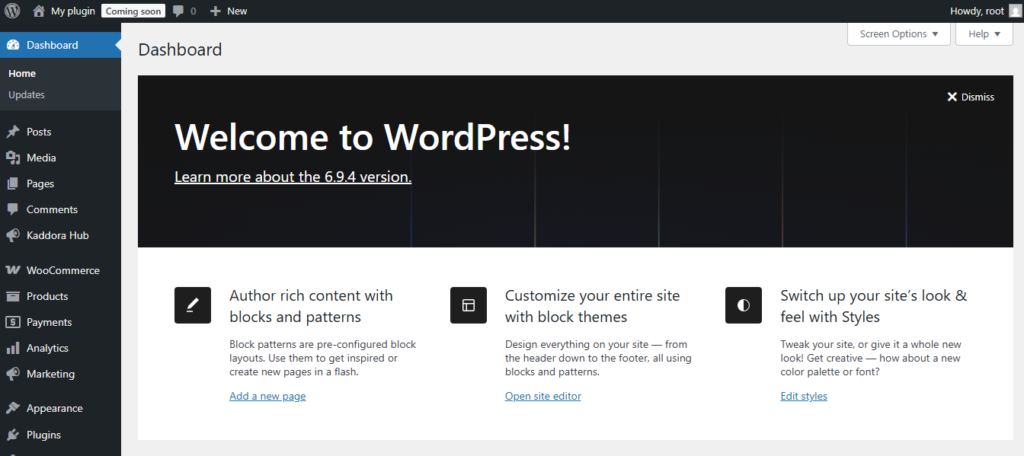
- Plugins → Add New →
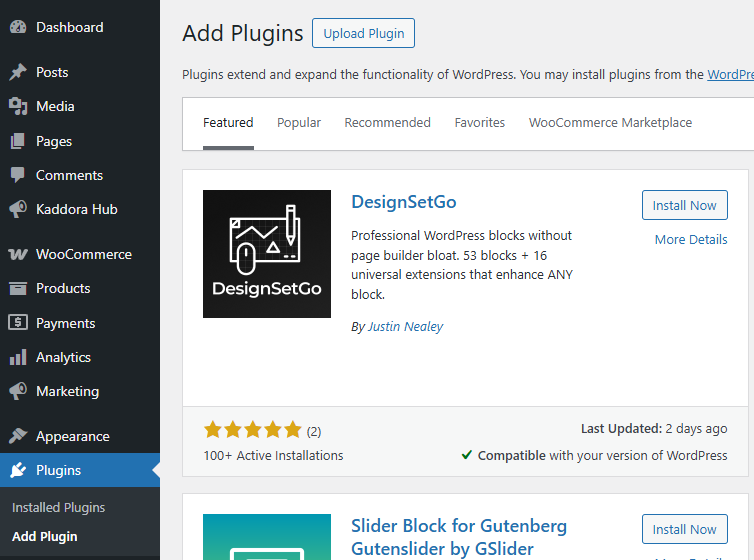
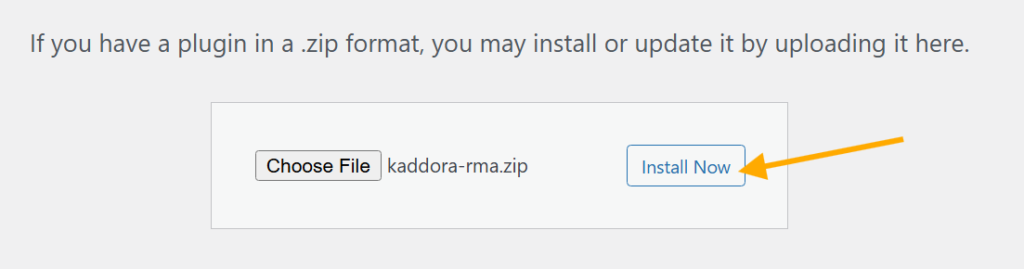
- Upload Plugin > Choose the kaddora-rma.zip plugin file and click Install Now.
- After successfully Installation & Activation of plugin, you will see ‘Kaddora RMA Engine’ in your installed plugin section, here you can check version and description about the plugin.

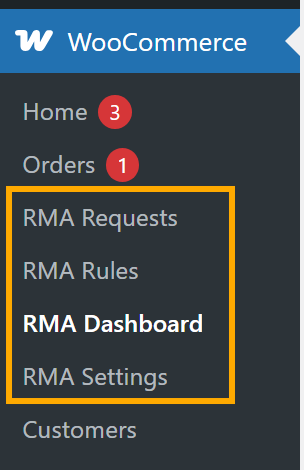
- In the WordPress dashboard, you will find the Kaddora Smart Returns option under WooCommerce. Click on it to access the plugin settings and manage return requests.
4. Dashboard (Admin Panel) 🛠️
- Dashboard
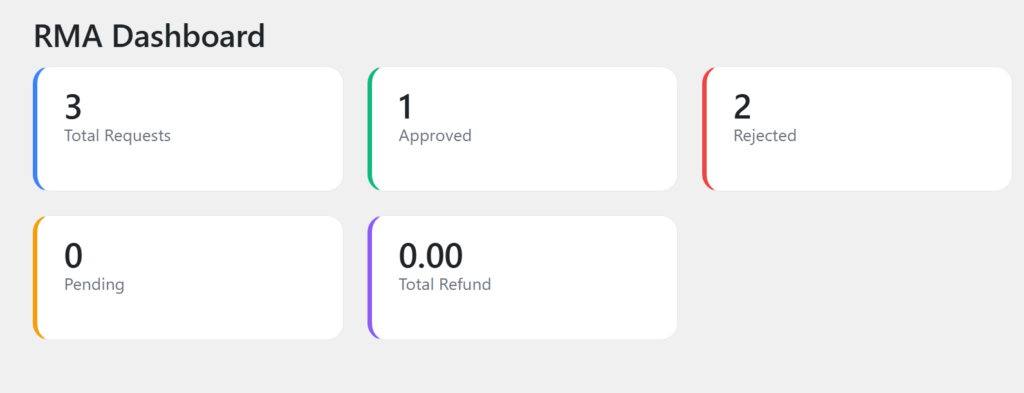
The RMA Dashboard provides a quick summary of return activities. It shows key metrics like Total Requests, Approved, Rejected, Pending, and Total Refund in a simple card layout. This helps admins quickly track request status, monitor performance, and understand refund impact without opening individual records.
5.RMA Requests
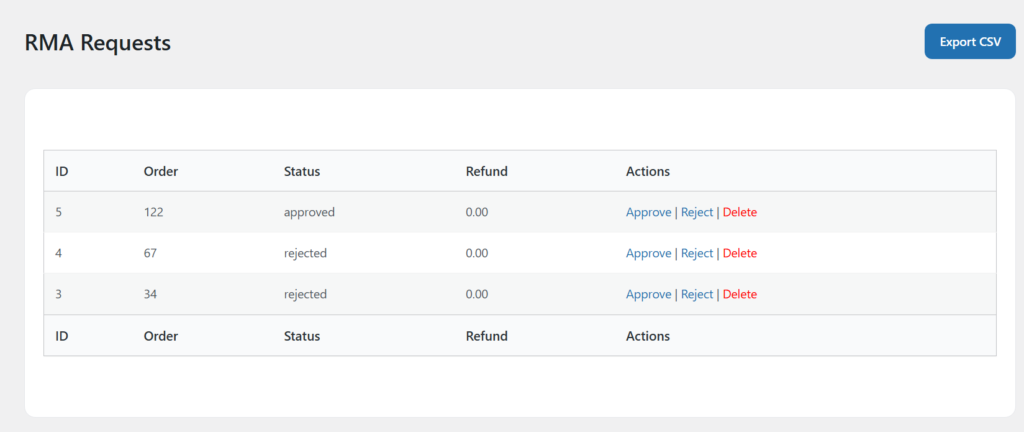
- Displays all return requests in a structured table format
- Shows key details: ID, Order, Status, Refund Amount
- Admin can perform actions: Approve, Reject, Delete
- Includes Export CSV option for downloading request data
- Helps in quick management and decision-making
- Provides a centralized view of all customer return requests
6.RMA Settings ⚙️
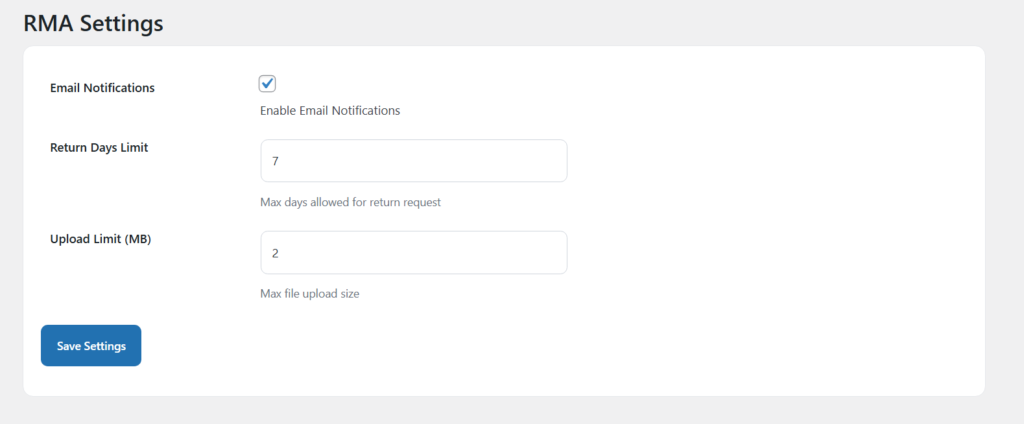
- Enable/disable email notifications
- Set return days limit for requests
- Define file upload size limit (MB)
- Control basic return system behavior
- Save and apply settings instantly
7. Rules Builder
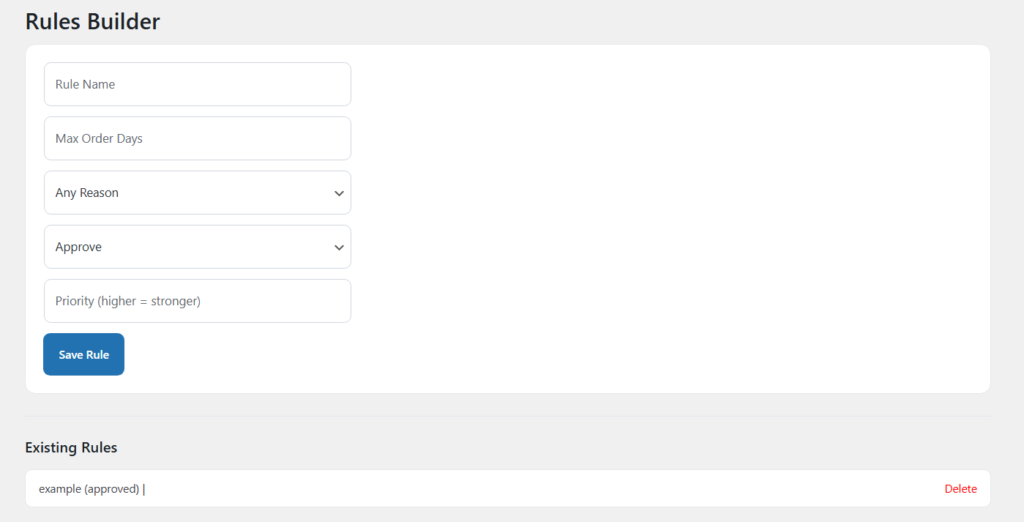
- Create custom return rules for automation
- Set conditions: order days, reason
- Define action: approve, reject, partial refund
- Assign priority (higher = stronger rule)
- Automatically applied by engine during request processing
- Reduces manual approval work
8. Request a Return
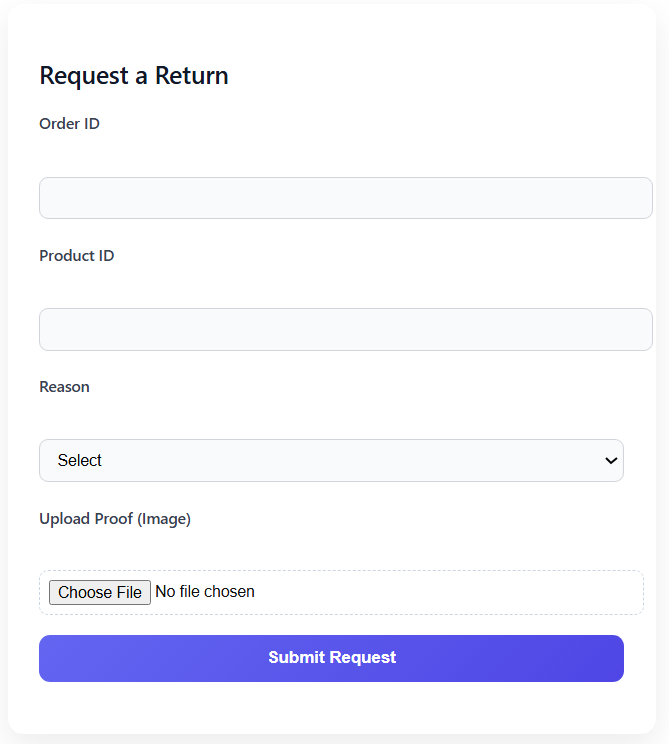
- Customers can submit return requests from frontend
- Fields include Order ID, Product ID, Reason
- Supports image upload for proof
- Uses AJAX for smooth submission (no reload)
- Connected with engine for automatic decision processing
- Display using shortcode: [kaddora_return_form]
9. My Return Requests
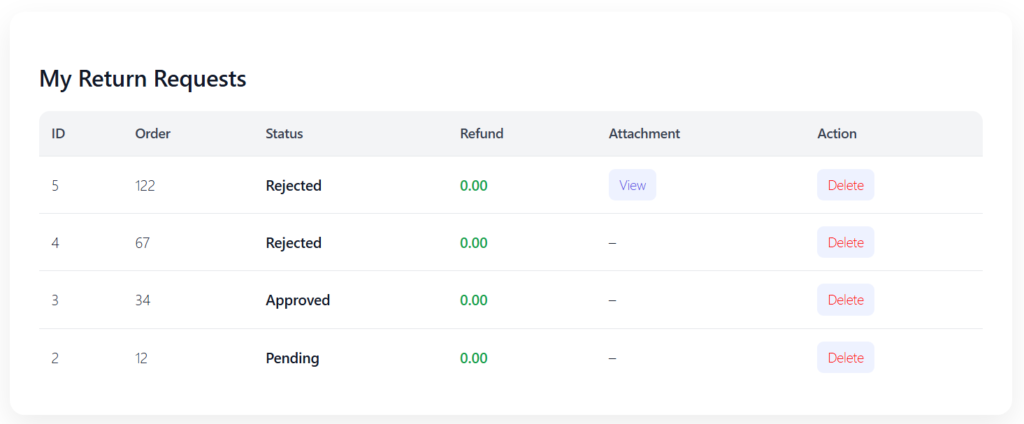
- Displays user’s return request history
- Shows: ID, Order, Status, Refund, Attachment
- Allows users to view proof image & delete requests
- Tracks status: Pending, Approved, Rejected
- Clean and organized customer dashboard UI
- Display using shortcode: Please sign in to view and manage your appointments.
10. Performance & Optimization ⚡
- Uses AJAX for form submission and actions (no page reload)
- Optimized database queries with prepared statements
- Loads files only when needed (modular structure)
- Lightweight and minimal CSS/JS usage
- Rule engine processes efficiently with priority logic
- Secure and optimized with nonce validation and sanitization
11. Troubleshooting 🛠️
- Form not submitting
Ensure JavaScript is enabled and AJAX URL is properly localized. Also check browser console for errors. - Return request not saving
Verify database tables are created correctly and required fields (Order ID, Product ID, Reason) are filled. - Rules not applying
Make sure rules are properly saved and conditions (order days, reason) match the request data. - File upload not working
Check server upload permissions and PHP upload limits (upload_max_filesize, post_max_size). - Email notifications not sending
Confirm email settings are enabled and WordPress mail function is working on the server. - Export CSV not downloading
Ensure export class is properly initialized and no output is sent before headers. - Delete action not working
Verify AJAX hooks are registered correctly and nonce validation is passing. - Plugin not showing in dashboard
Check if WooCommerce is active and user has required permissions (manage_woocommerce). - Slow performance
Disable unused plugins, check hosting resources, and ensure database is optimized.
12. FAQ ❓
Q1. How can customers submit a return request?
Customers can use the frontend form provided by the shortcode [kaddora_rma_form] to submit return requests.
Q2. How are return requests processed automatically?
The plugin uses a rules-based engine where admin-defined conditions automatically approve, reject, or partially process requests.
Q3. Can I export return request data?
Yes, admins can export all return requests in CSV format from the RMA Requests page.
Q4. Can customers delete their return requests?
Yes, customers can delete their own requests from the “My Return Requests” dashboard.
13. Support & Updates 🛎️
- Regular updates will be provided to improve performance, security, and compatibility with the latest WordPress and WooCommerce versions
- Bug fixes and feature enhancements will be included in future releases
- Basic support is available for setup, configuration, and issue resolution
- Users are encouraged to keep the plugin updated to ensure smooth functionality
- Documentation will be updated alongside new features and improvements