
Kaddora AI Spam Firewall Protection Plugin🎀
User Documentation :📜
Kaddora AI Smart Spam Firewall Protection Plugin is an advanced WordPress security solution designed to protect your website from spam, bots, brute-force attacks, malicious traffic, and suspicious behavior. It combines firewall protection, login security, AI detection, and automation into one powerful dashboard.
Table of Contents:
- Introduction
- Requirements
- Installation
- Dashboard Overview
- Login Security
- Firewall Engine
- Forms Protection
- AI Protection
- Automation
- Settings
- Workflow
- Performance
- Troubleshooting
- FAQ
- Support
1. Introduction :
Security is one of the most critical aspects of any WordPress website. Without proper protection, websites are vulnerable to spam attacks, brute force login attempts, malicious bots, and automated threats.
Kaddora AI Smart Spam Firewall Protection Plugin is designed to solve these problems by providing a centralized and intelligent security system.
This plugin helps you:
- Prevent unauthorized login attempts
- Block spam submissions and bots
- Filter malicious traffic using firewall rules
- Detect suspicious behavior using AI
- Automate security responses
2. Requirements :
Before installing the plugin, ensure your system meets these requirements:
- WordPress 5.8 or higher
- PHP 7.4 or higher
- HTTPS recommended
- Modern hosting environment
Compatible with:
- WooCommerce
- Elementor
- Gutenberg
- Most themes and plugins
3. Installation :
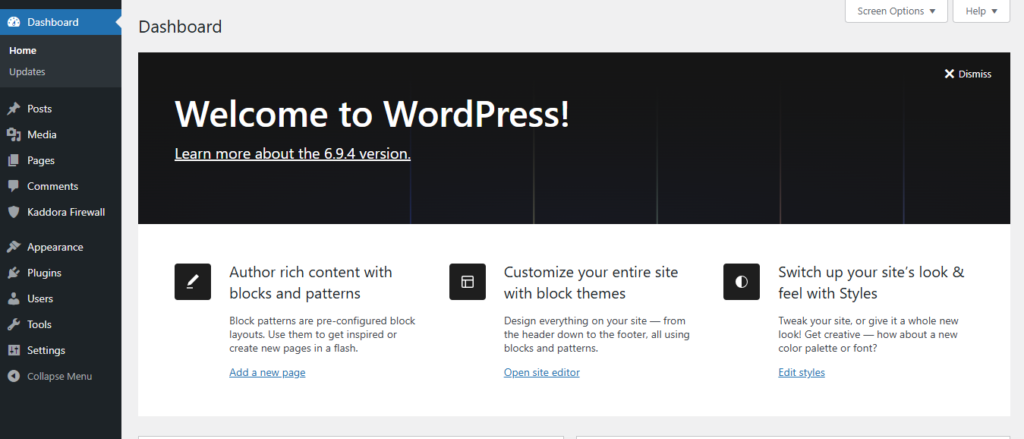
Follow these steps to install the plugin:
Step 1: Open Your WordPress Dashboard :
Step 2: Open Plugins :
Go to Plugins → Add New.
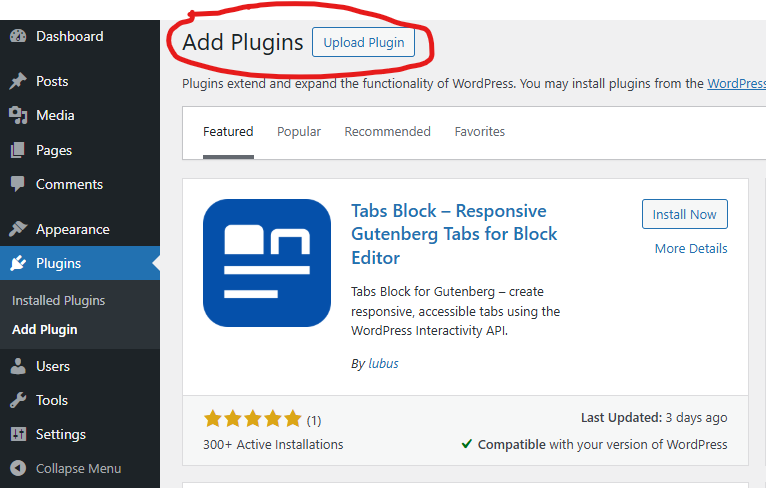
Step 3: Upload Plugin :
Click Upload Plugin and choose the ZIP file.

Step 4: Install :
Click Install Now.
Step 5: Activate :
Click Activate Plugin.

Step 6: Access Plugin :
Open plugin from dashboard menu.
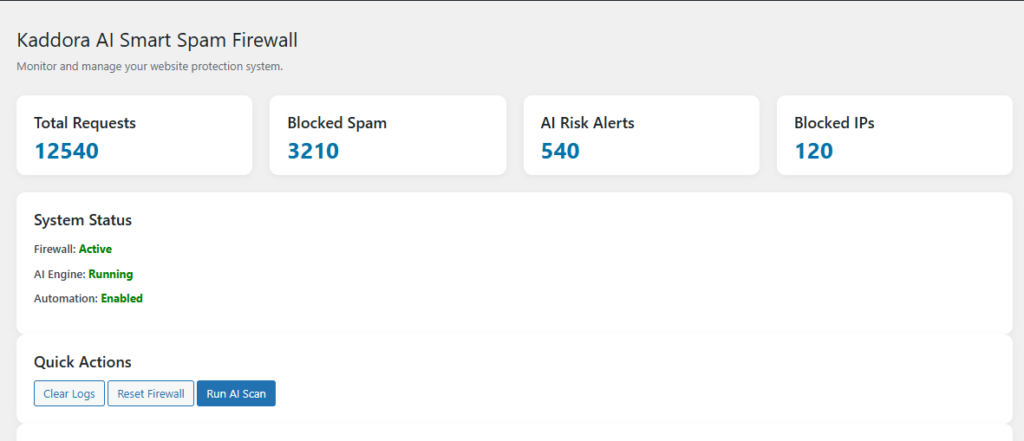
4. Dashboard Overview :
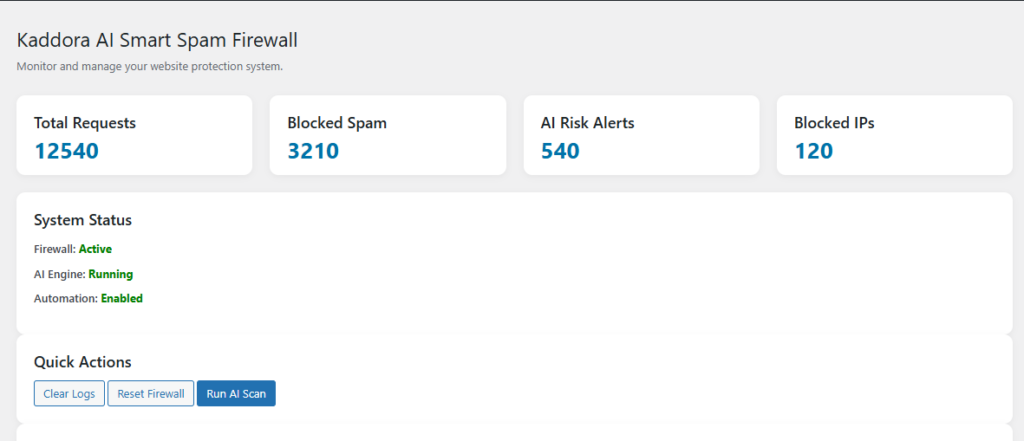
The dashboard provides a real-time overview of your website security.
- Total blocked threats
- Spam detection statistics
- Login attempts tracking
- Firewall activity logs
This section allows administrators to quickly understand the security status of their website without navigating multiple pages.
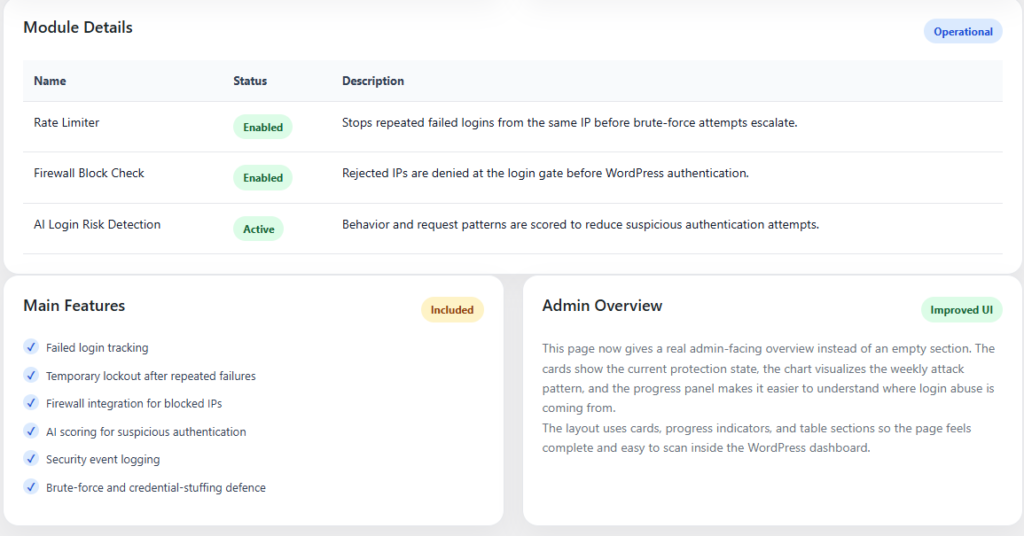
5. Login Security :
Login Security protects your WordPress login system from brute force attacks and unauthorized access.
- Limit login attempts
- Block suspicious IP addresses
- Track login activity
- Prevent repeated login failures
6. Firewall Engine :
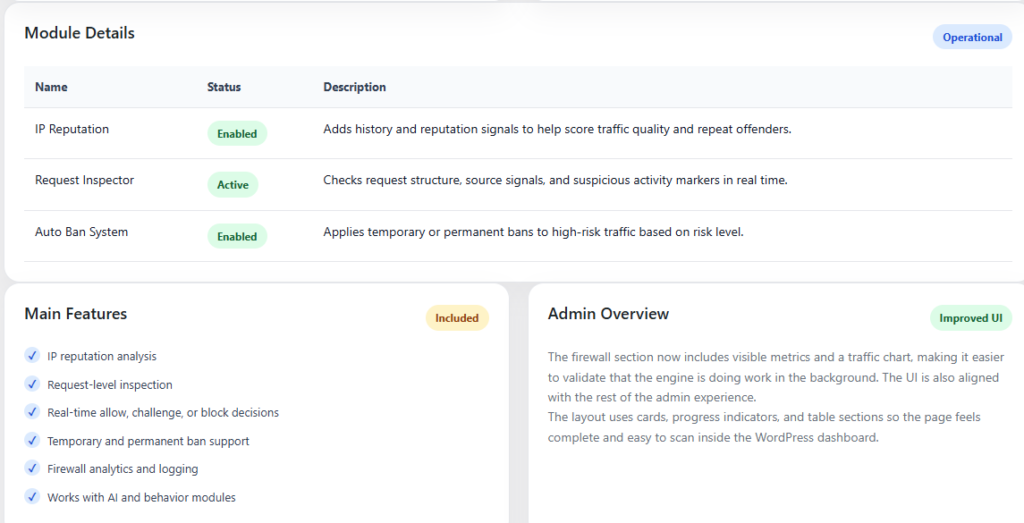
The Firewall Engine filters incoming traffic and blocks harmful requests before they affect your website.
- IP filtering and blocking
- Bot detection
- Traffic monitoring
- Threat prevention
7. Forms Protection :
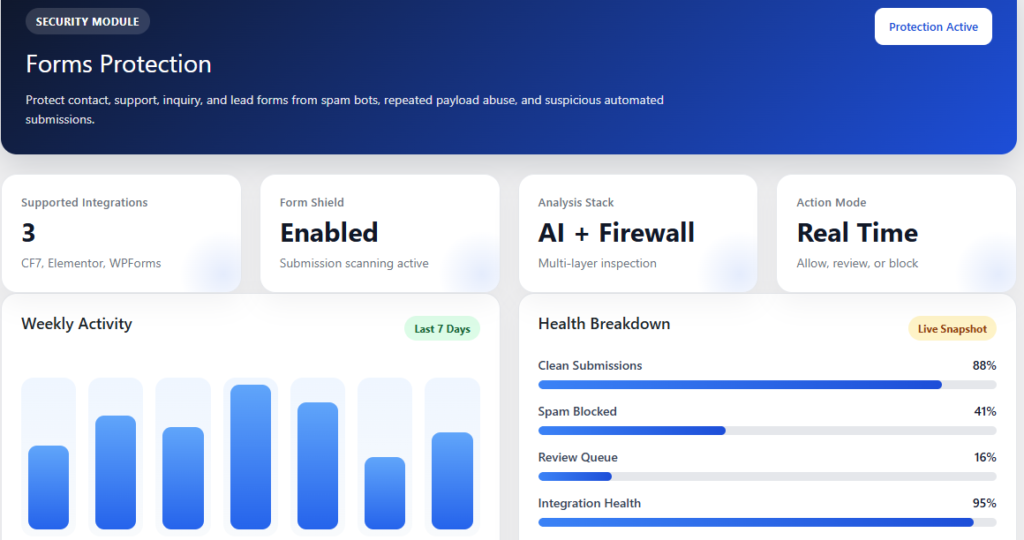
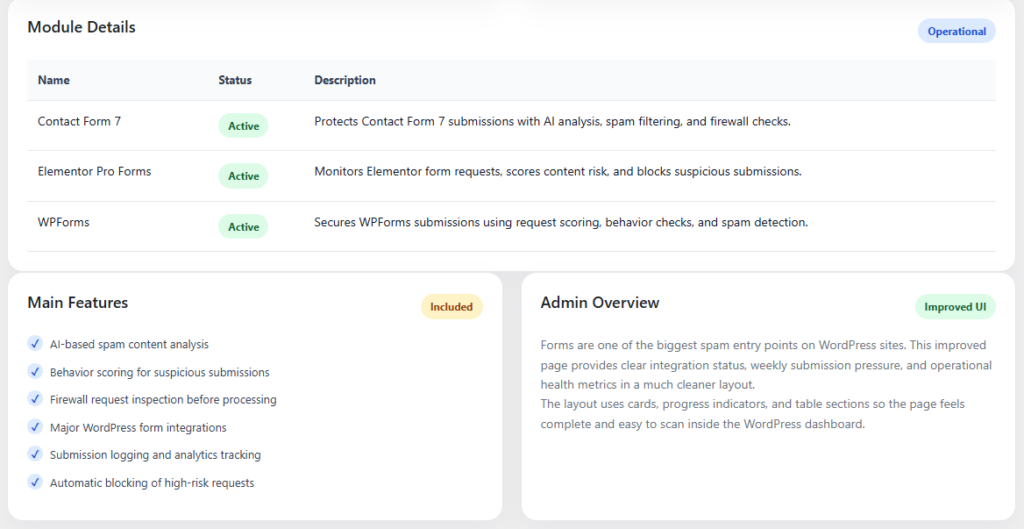
Forms Protection prevents spam submissions and protects your forms from automated bots.
- Spam detection
- Bot filtering
- Form validation security
- Clean data collection
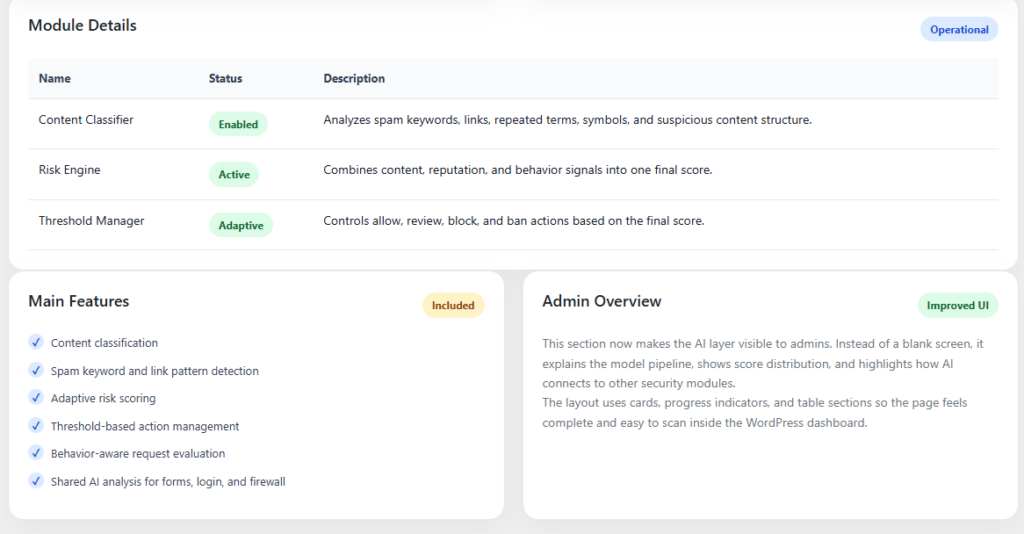
8. AI Protection :
AI Protection analyzes user behavior and detects suspicious activity using intelligent algorithms.
- Behavior analysis
- Threat prediction
- Adaptive learning
- Smart blocking system
9. Automation :
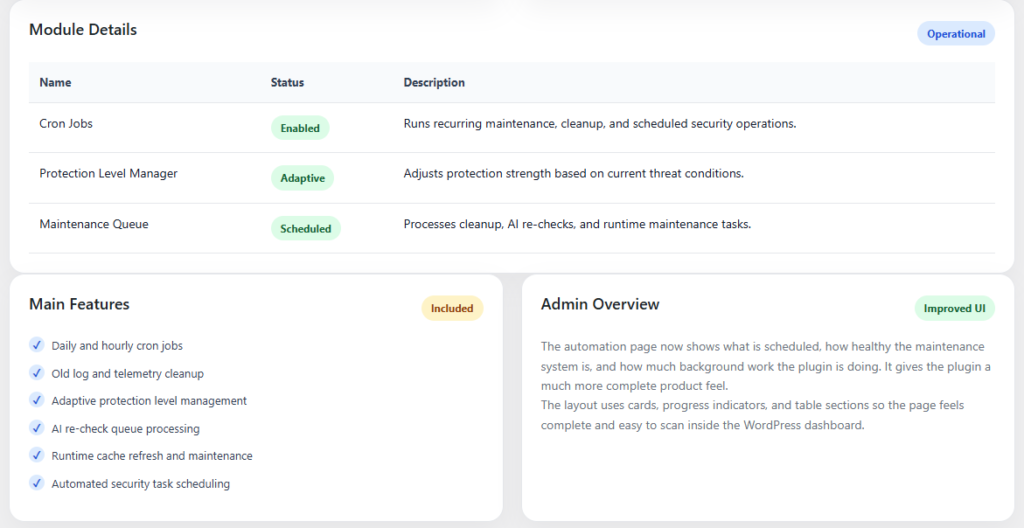
Automation allows you to handle security tasks without manual intervention.
- Auto block IPs
- Auto clean spam
- Scheduled scans
- Security alerts
10. Settings :
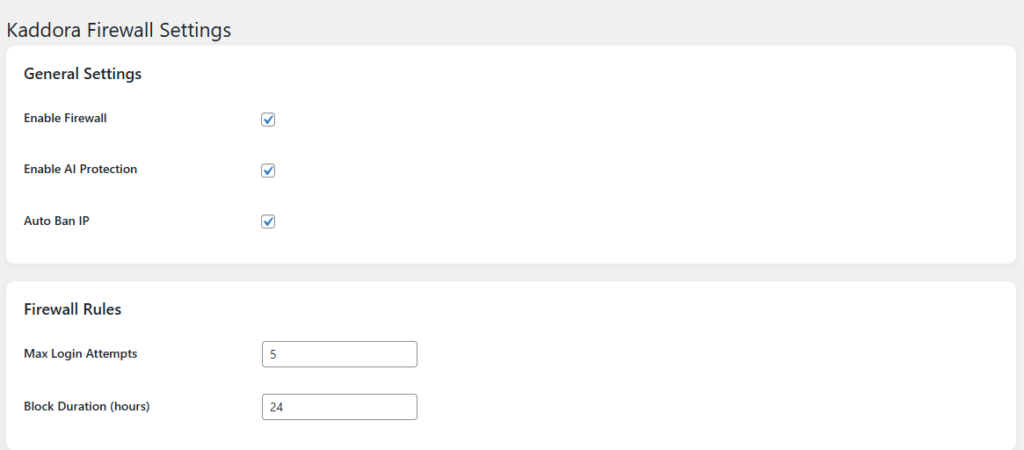
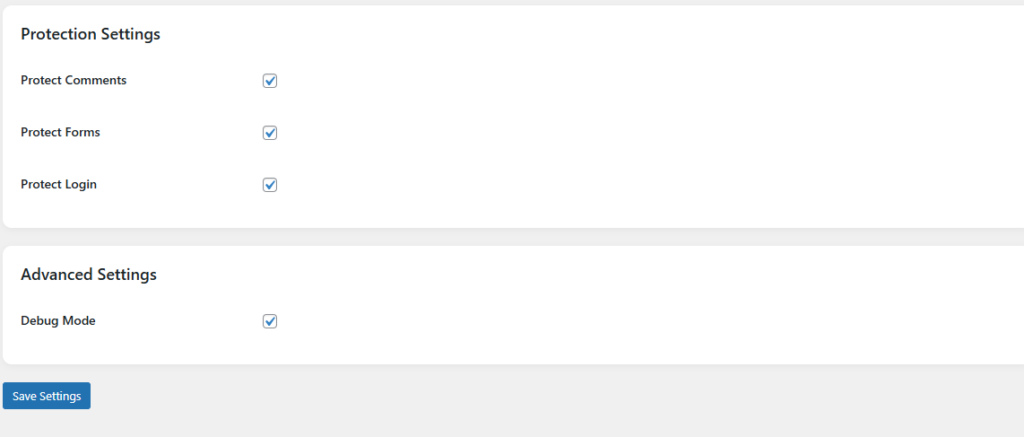
- Enable or disable modules
- Adjust protection levels
- Configure automation
- Set rules and preferences
11. Workflow :
- Install and activate plugin
- Enable security modules
- Configure settings
- Monitor dashboard
- Review logs
- Adjust rules
12. Performance :
- Lightweight architecture
- Fast execution
- No frontend impact
- Optimized database usage
13. Troubleshooting :
Plugin not working
Check activation and settings
No data showing
Wait for activity
Conflict issue
Disable other plugins
14. FAQ :
Is this plugin beginner friendly?
Yes
Does it affect performance?
No
Can I disable modules?
Yes
15. Support :
- Contact developer
- Plugin support page
Thank you for using Kaddora AI Smart Spam Firewall Protection Plugin