
Kaddora AI SEO Suite Plugin 🎀
User Documentation📜:
Kaddora AI SEO Suite is an enterprise-level AI-powered SEO plugin for WordPress designed to improve website rankings, automate SEO tasks, optimize content, and provide advanced SEO analytics from a single dashboard.
The plugin combines:
- AI-powered SEO automation
- technical SEO tools
- WooCommerce SEO
- content optimization
- SEO audits
- performance monitoring
- automation systems
into one scalable and production-ready platform.
It is built for:
- bloggers
- businesses
- agencies
- WooCommerce stores
- SaaS websites
- enterprise WordPress projects
📑 Table of Contents
1. Introduction 🎗️
Kaddora AI SEO Suite is a powerful AI-powered WordPress SEO plugin designed to help websites improve search engine rankings, automate SEO tasks, optimize content, and manage technical SEO from a single professional dashboard.
The plugin combines advanced SEO tools such as:
- AI meta generation
- SEO audits
- schema markup
- WooCommerce SEO
- redirect management
- broken link scanning
- XML sitemap generation
- AI content optimization
- SEO automation
- performance optimization
Built with a scalable modular architecture, Kaddora AI SEO Suite is suitable for:
- bloggers
- businesses
- agencies
- WooCommerce stores
- affiliate marketers
- SaaS platforms
- professional WordPress developers
The plugin follows modern WordPress coding standards and includes:
- security hardening
- automation systems
- caching optimization
- licensing architecture
- freemium/pro support
- commercial-ready infrastructure
Kaddora AI SEO Suite helps users:
- improve on-page SEO
- automate technical SEO tasks
- monitor website SEO health
- optimize content with AI
- manage redirects and broken links
- generate structured schema markup
- improve WooCommerce product visibility
- analyze SEO performance from a centralized dashboard
It is designed as a modern all-in-one SEO platform that combines AI automation, technical SEO, analytics, and enterprise architecture into a production-ready WordPress plugin.
2. Requirements & Compatibility ⚙️
- Requires WordPress 6.0+
- Requires PHP 7.4+
- Compatible with WooCommerce
- Supports Gutenberg & Classic Editor
- Works with most WordPress themes
- Supports HTTPS/SSL websites
- Compatible with Apache & NGINX servers
- Uses WordPress Cron for automation
- Translation-ready architecture
- Mobile-friendly admin dashboard
- Secure coding with sanitization & nonce verification
- Optimized for performance and large websites
3.Plugin Installation 📌
- Go to the WordPress Dashboard -:
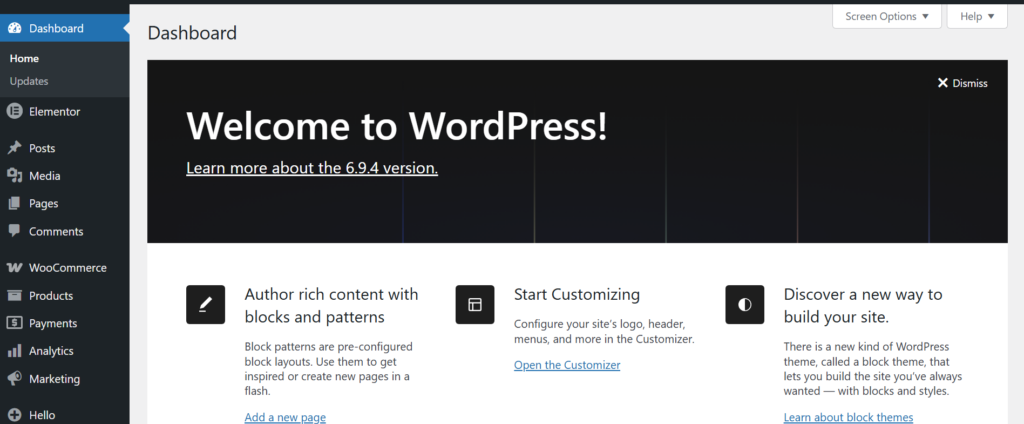
- Plugins → Add New →
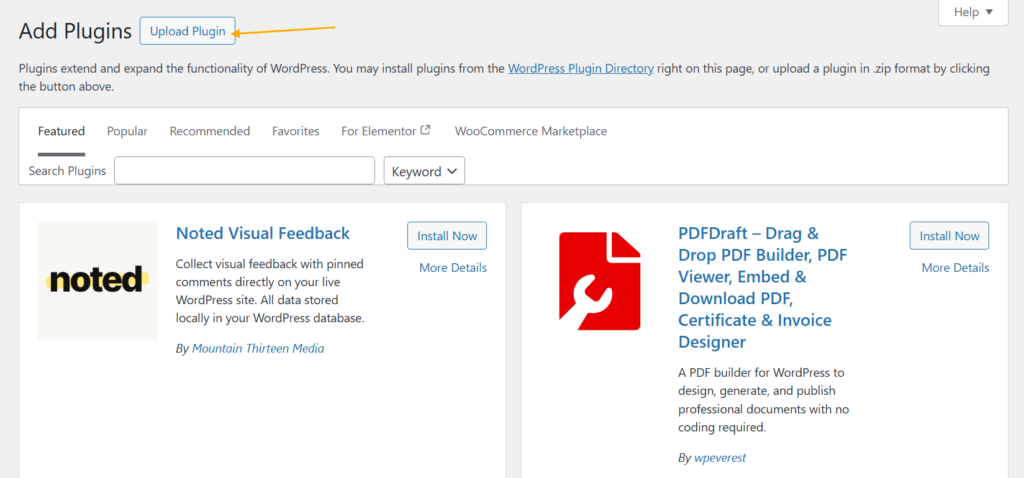
- Upload Plugin > Choose the kaddora-ai-seo-suite plugin file and click Install Now.
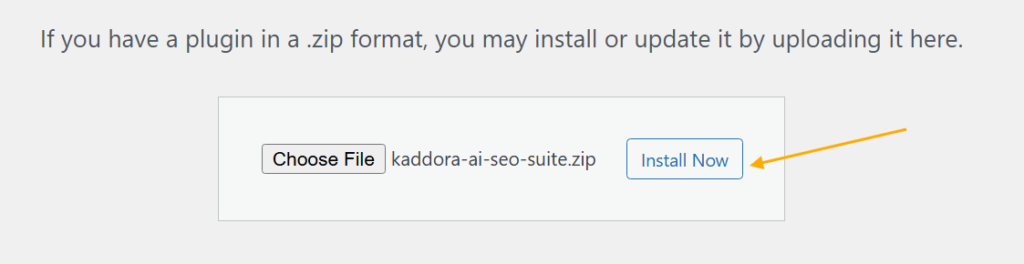
- After successfully Installation & Activation of plugin, you will see ‘Kaddora AI SEO Suite’ in your installed plugin section, here you can check version and description about the plugin.

- In the WordPress dashboard, you will find the Kaddora AI SEO option . Click on it to access the plugin features.
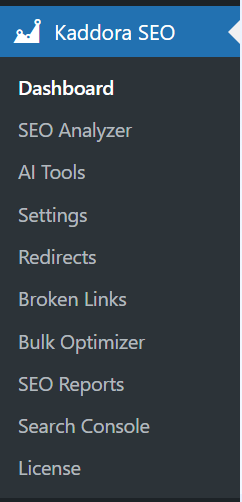
4. Dashboard 🛠️
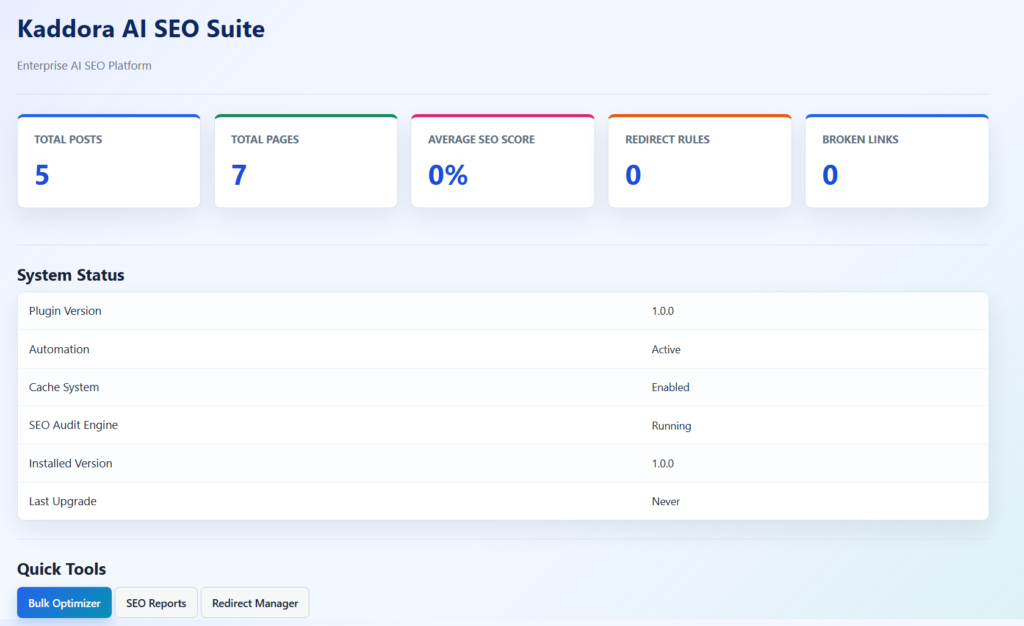
The Kaddora AI SEO Suite Dashboard provides a centralized control panel to monitor, manage, and optimize your website’s SEO performance from one place.
The dashboard includes:
- Total Posts & Pages statistics
- Average SEO score monitoring
- Redirect rules overview
- Broken links tracking
- SEO health status
- Automation system status
- Cache and performance monitoring
- Quick access tools for SEO management
Users can quickly access:
- Bulk SEO Optimizer
- SEO Reports
- Redirect Manager
- XML Sitemap
- Search Console analytics
5.SEO Analyzer
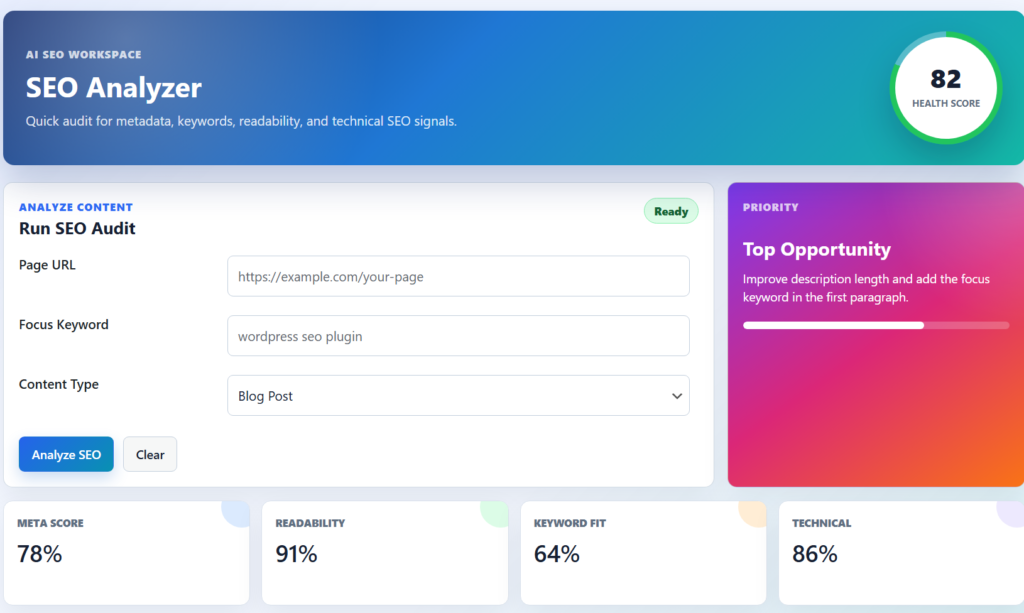
The SEO Analyzer provides a modern AI-powered workspace to audit and optimize website content with real-time SEO insights and performance scoring.
The analyzer helps users evaluate:
- metadata quality
- keyword optimization
- readability
- technical SEO signals
- overall SEO health
Features included in the analyzer:
- Page URL analysis
- Focus keyword optimization
- Content type selection
- Real-time SEO audit system
- Health score monitoring
- Meta score analysis
- Readability scoring
- Keyword fit tracking
- Technical SEO evaluation
- AI-powered optimization suggestions
6.Settings
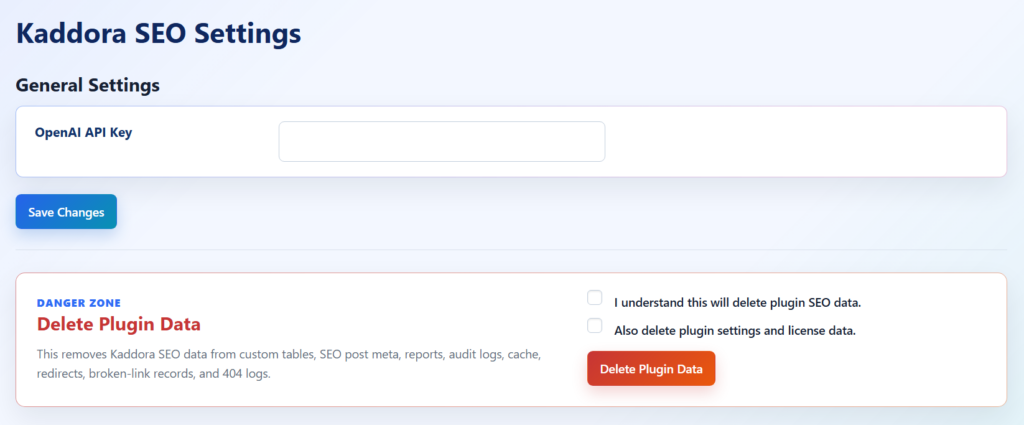
The Kaddora SEO Settings panel allows users to configure and manage the core functionality of the plugin from a centralized and secure settings interface.
The settings system includes:
- OpenAI API key configuration
- AI feature management
- secure plugin configuration handling
- SEO system customization
- plugin data management controls
The panel also includes a dedicated Danger Zone section for advanced administrative actions such as:
- deleting SEO reports
- removing audit logs
- clearing redirects and broken-link records
- removing plugin cache
- deleting plugin settings and license data
7. Bulk Optimizer
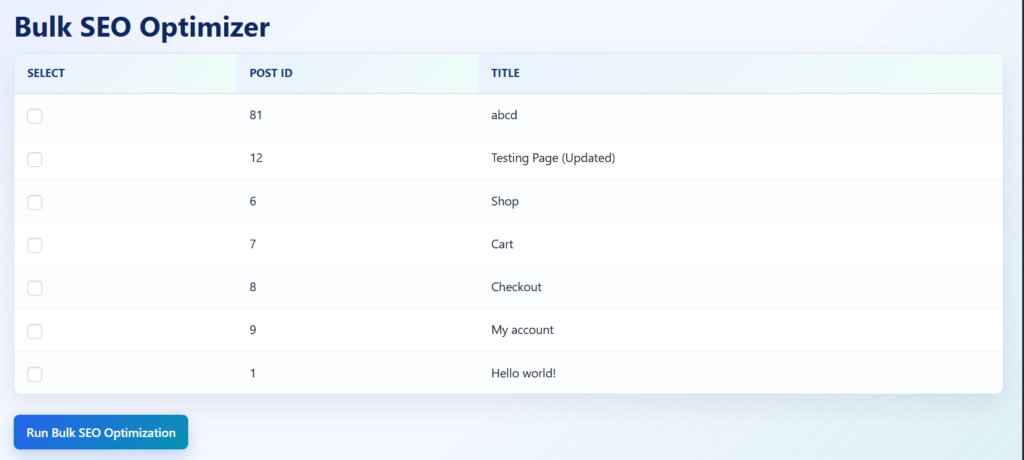
The Bulk SEO Optimizer allows users to optimize multiple posts, pages, and website content in a single workflow using AI-powered SEO automation.
The optimizer helps improve large amounts of content without manually editing each page individually.
Key features include:
- bulk SEO optimization for posts and pages
- multi-select content management
- AI-generated meta titles and descriptions
- automated SEO metadata optimization
- fast batch processing system
- scalable content optimization workflow
- centralized optimization management
Users can:
- select multiple posts at once
- run bulk SEO optimization
- automate metadata generation
- improve SEO consistency across the website
The system is designed for:
- large content websites
- WooCommerce stores
- SEO agencies
- bloggers
- enterprise WordPress projects
8.Redirect Manager
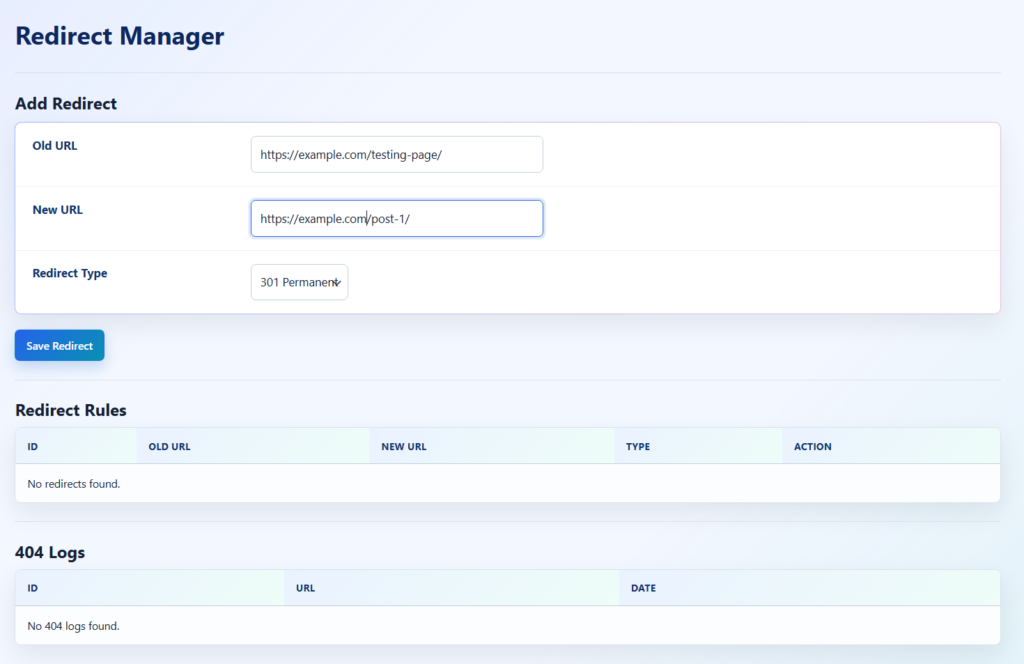
The Redirect Manager helps users create, manage, and monitor SEO-friendly URL redirects directly from the WordPress dashboard.
The system is designed to improve website SEO health by handling:
- broken URLs
- deleted pages
- URL changes
- redirect management
- 404 monitoring
Key features include:
- 301, 302, and custom redirect support
- old URL to new URL mapping
- centralized redirect management
- automatic SEO-friendly redirection
- redirect rules monitoring
- 404 error logging and tracking
- lightweight redirect processing system
Users can:
- add new redirects
- manage existing redirect rules
- monitor 404 logs
- improve crawlability and user experience
- prevent broken page indexing
The Redirect Manager is optimized for:
- SEO maintenance
- website migrations
- permalink changes
- WooCommerce stores
- enterprise WordPress websites
9. SEO Reports
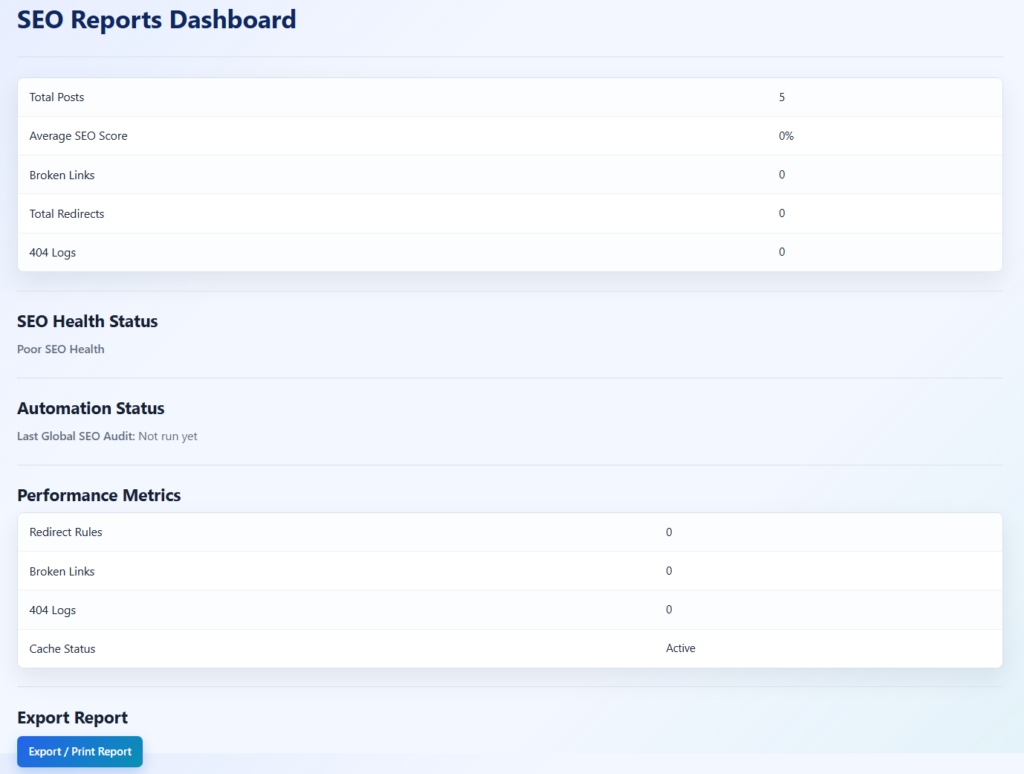
The SEO Reports Dashboard provides a centralized overview of your website’s SEO performance, system health, and optimization activity from a single management panel.
The dashboard helps users monitor:
- overall SEO health
- SEO score performance
- redirects and broken links
- automation activity
- cache and performance metrics
- website optimization status
Key features include:
- Total posts and SEO score tracking
- Broken links and redirect monitoring
- 404 error log reporting
- SEO health status analysis
- Automation and audit activity monitoring
- Performance and cache status tracking
- Export and print SEO reports
- Lightweight analytics overview system
Users can quickly evaluate:
- SEO optimization progress
- technical SEO issues
- automation status
- site performance metrics
- overall website SEO condition
The reporting system is designed for:
- SEO agencies
- WooCommerce websites
- bloggers
- enterprise WordPress projects
- client SEO reporting workflows
10. License
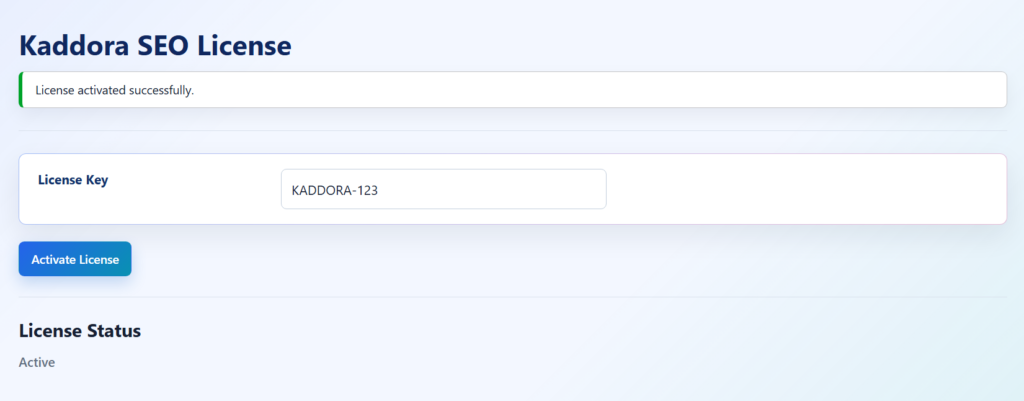
The Kaddora SEO License System provides a secure and centralized interface for managing plugin license activation and premium feature access.
The licensing system is designed to support:
- Free and Pro architecture
- premium feature unlocking
- commercial plugin distribution
- secure activation workflows
- licensing-based feature control
Key features include:
- License key activation
- Premium feature validation
- Secure license storage
- Activation status monitoring
- Pro feature access management
- Enterprise licensing architecture
- Upgrade-ready commercial workflow
Users can:
- activate premium licenses
- manage license keys
- unlock Pro SEO features
- monitor activation status
- access premium functionality securely
The license system is built with secure WordPress standards including:
- nonce verification
- sanitization
- capability checks
- secure option storage
and provides a scalable foundation for future:
- online license validation
- automatic updates
- subscription systems
- SaaS integrations
- premium support management.
11. Google Search Console
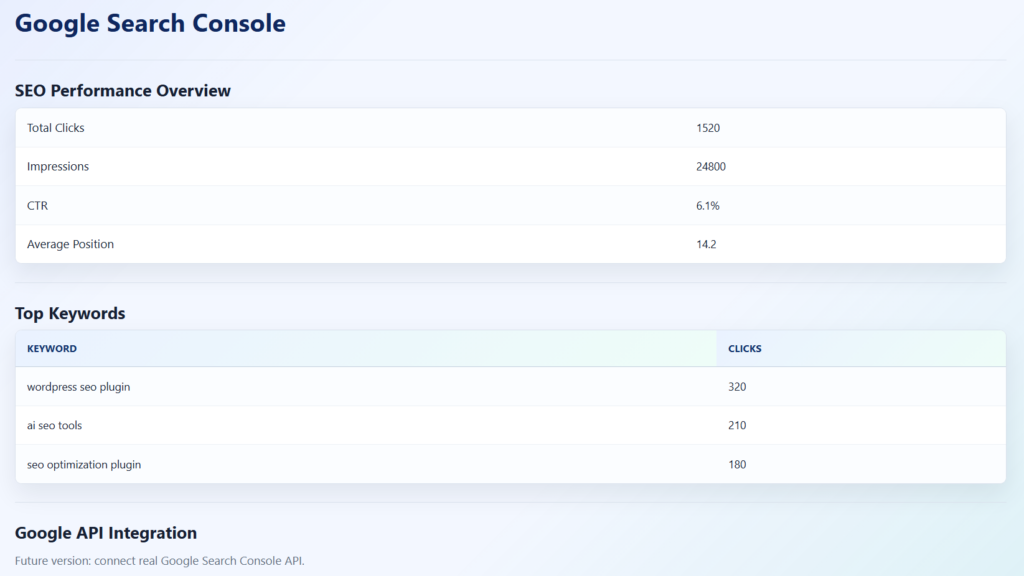
The Google Search Console Dashboard provides a centralized SEO analytics panel to monitor website search performance, keyword visibility, and ranking insights directly from the WordPress admin area.
The dashboard helps users track:
- search clicks
- impressions
- click-through rate (CTR)
- average search position
- keyword performance
- SEO visibility trends
Key features include:
- SEO performance overview
- Top keyword tracking
- Click and impression analytics
- CTR monitoring
- Average ranking position insights
- Search visibility reporting
- Google Search Console integration architecture
- Future-ready Google API connectivity
Users can analyze:
- high-performing keywords
- search traffic performance
- SEO ranking improvements
- keyword visibility opportunities
- overall search engine presence
The system is designed for:
- SEO agencies
- WooCommerce websites
- bloggers
- businesses
- enterprise WordPress projects
12. Performance & Optimization ⚡
- Lightweight and modular plugin architecture
- Optimized database queries for faster performance
- Built-in caching system using WordPress transients
- Automated database cleanup and optimization
- Background SEO automation using WordPress Cron
- Scalable structure optimized for large WordPress websites and WooCommerce stores
13. Troubleshooting 🛠️
- Ensure WordPress and PHP versions meet plugin requirements
- Verify the OpenAI API key is added correctly in settings
- Clear plugin cache after major SEO updates
- Re-save permalinks if sitemap or redirects stop working
- Disable conflicting SEO plugins to avoid functionality conflicts
- Check file permissions and server configuration for proper plugin operation
14. FAQ ❓
1. Does the plugin support WooCommerce SEO?
Yes, the plugin includes WooCommerce SEO optimization features such as product schema, metadata optimization, and SEO enhancements for product pages.
2. Can I generate AI-powered meta titles and descriptions?
Yes, the plugin includes AI tools for generating SEO-friendly meta titles and meta descriptions.
3. Does the plugin create XML sitemaps automatically?
Yes, the plugin can generate XML sitemaps to help search engines index your website content efficiently.
4. Can I manage redirects and monitor 404 errors?
Yes, the Redirect Manager allows you to create redirects and monitor 404 logs directly from the dashboard.
5. Is the plugin optimized for performance and large websites?
Yes, the plugin uses a lightweight modular architecture, caching system, and optimized database queries for better scalability and performance.
15. Support & Updates 🛎️
- Regular plugin updates with new SEO features and improvements
- Security and performance optimization updates
- Compatibility updates for WordPress and WooCommerce
- Dedicated support for setup and troubleshooting
- Scalable architecture for future feature expansion
© Kaddora Tech