
Kaddora AI Booking & Appointment Scheduler 🎀
User Documentation:📜
Kaddora AI Booking & Appointment Scheduler is a modern WordPress plugin built to help businesses manage appointments, booking workflows, staff schedules, service management, customer records, and scheduling analytics from one organized admin dashboard.
The plugin is designed to reduce manual work and improve appointment handling by bringing together bookings, services, staff availability, automation tools, and reporting into a single workflow inside WordPress.
📑 Table of Contents
1. Introduction 🎗️
Kaddora AI Booking & Appointment Scheduler is a smart scheduling plugin that helps businesses manage appointments efficiently through a clean, organized, and scalable booking system inside WordPress.
The plugin allows businesses to manage appointments, services, customers, staff, automation, and reporting from a centralized admin area. It is built to simplify daily booking operations while improving scheduling clarity, reducing manual work, and supporting a better customer experience.
- Appointment management from one place
- Better scheduling accuracy and organization
- Improved business workflow efficiency
- Clear service, staff, and customer management
- Automation and analytics support for growth
Key Features:
- Centralized booking dashboard
- Appointment management system
- Services management section
- Customer management and booking history
- Staff scheduling and assignment tools
- Automation support for booking workflows
- Analytics and reporting overview
- Scalable structure for appointment-based businesses
2. Requirements & Compatibility 📌
Before installing the plugin, make sure your website and hosting environment meet the following requirements.
Minimum Requirements:
| WordPress 6.0 or higher |
| PHP 7.4 or higher |
| MySQL 5.6 or higher |
| Modern Browser Recommended |
Recommended Environment:
| WordPress 6.x |
| PHP 8.0+ |
| HTTPS enabled website |
| Updated theme and plugins |
3. Plugin Installation 🦚
Follow the steps below carefully to install and activate Kaddora AI Booking & Appointment Scheduler properly.
- Go to the WordPress Dashboard.
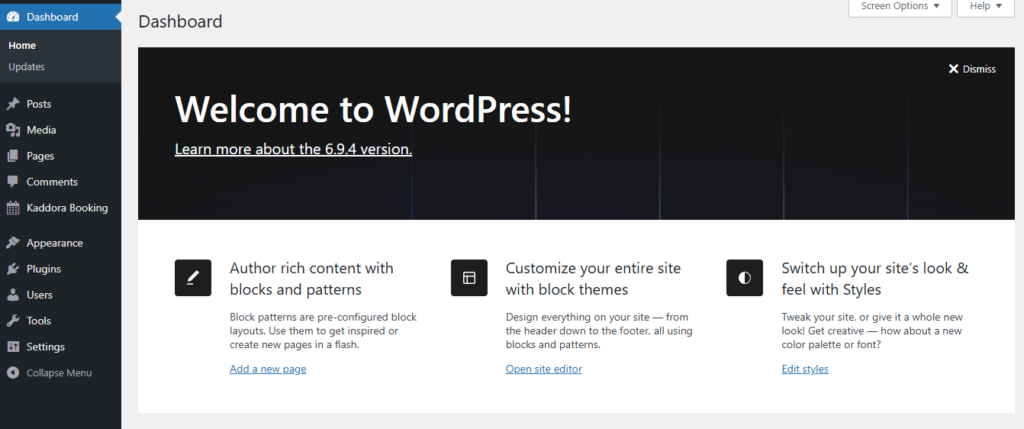
Log in to your WordPress admin area using an administrator account.
- Open Plugins → Add New.
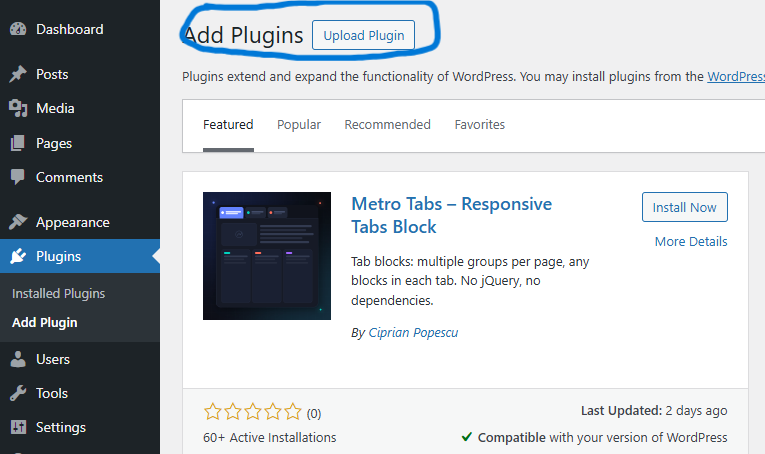
From the left admin menu, open the Plugins section and click Add New.
- Click the Upload Plugin button at the top of the page.
This option allows you to upload the plugin ZIP file from your computer.
- Upload the Kaddora AI Booking & Appointment Scheduler ZIP file and click Install Now.
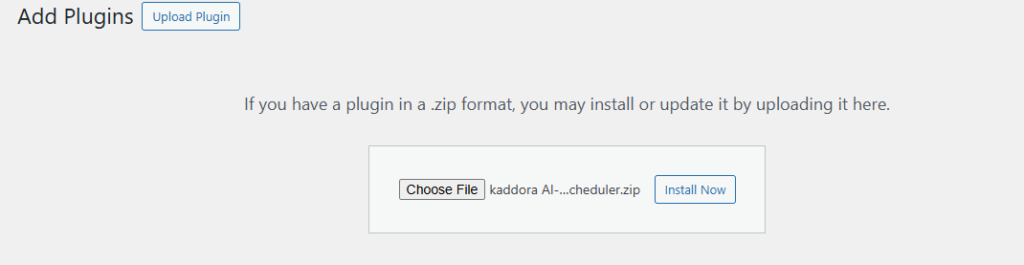
Wait until WordPress completes the installation process.
- Click Activate Plugin after installation is complete.

After successful installation and activation, you will see Kaddora AI Booking & Appointment Scheduler in the installed plugins section where you can check the plugin version and description.
- Find the plugin menu in the WordPress admin sidebar.
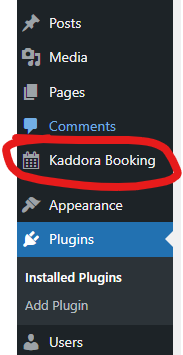
A new admin menu for Kaddora Booking should appear in the dashboard sidebar. From there, you can access Dashboard, Appointments, Services, Customers, Staff, Automation, Analytics, and Settings.
- Open Settings and configure the plugin before first use.
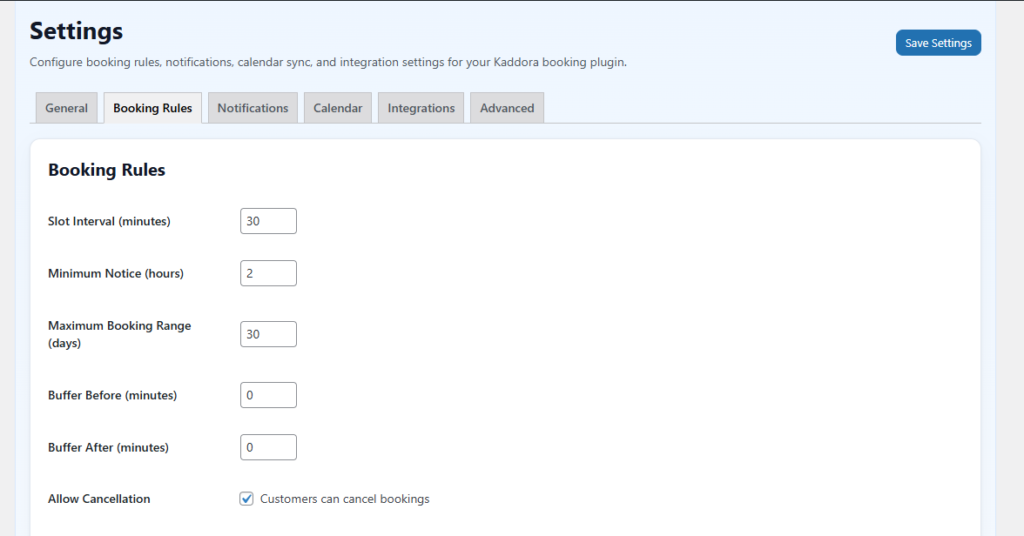
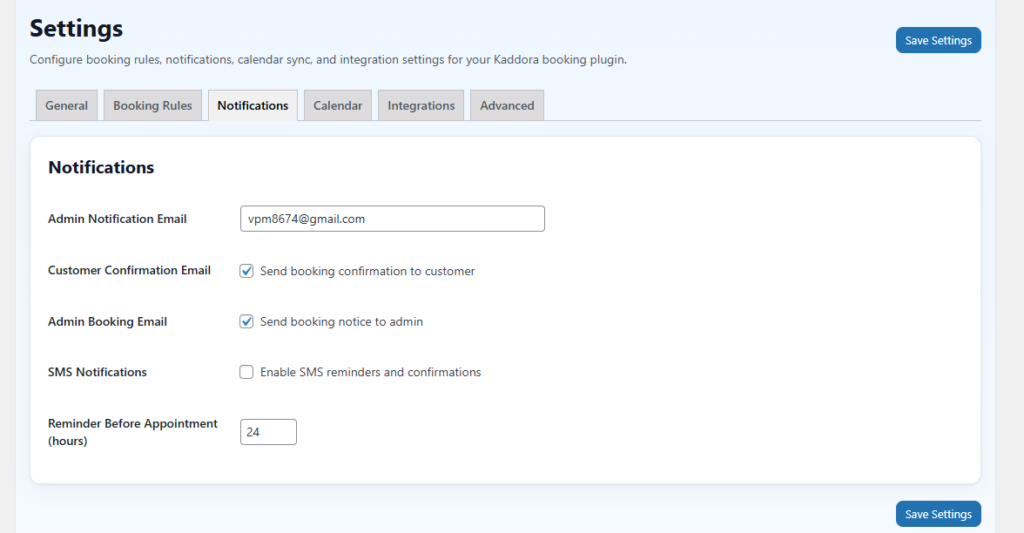
Configure business details, booking preferences, time rules, working hours, and notification behavior before accepting live appointments.
Once these steps are completed, the plugin is ready to use. You can then create services, add staff members, manage appointments, review customers, and monitor booking performance from the admin area.
Important: If the plugin menu does not appear after activation, verify that the ZIP file was uploaded correctly, all plugin files exist in the correct folder structure, and your WordPress and PHP versions meet the minimum requirements.
4. Admin Dashboard 🛠️
The plugin provides a clean and practical admin dashboard that helps you manage the complete booking system from one place.
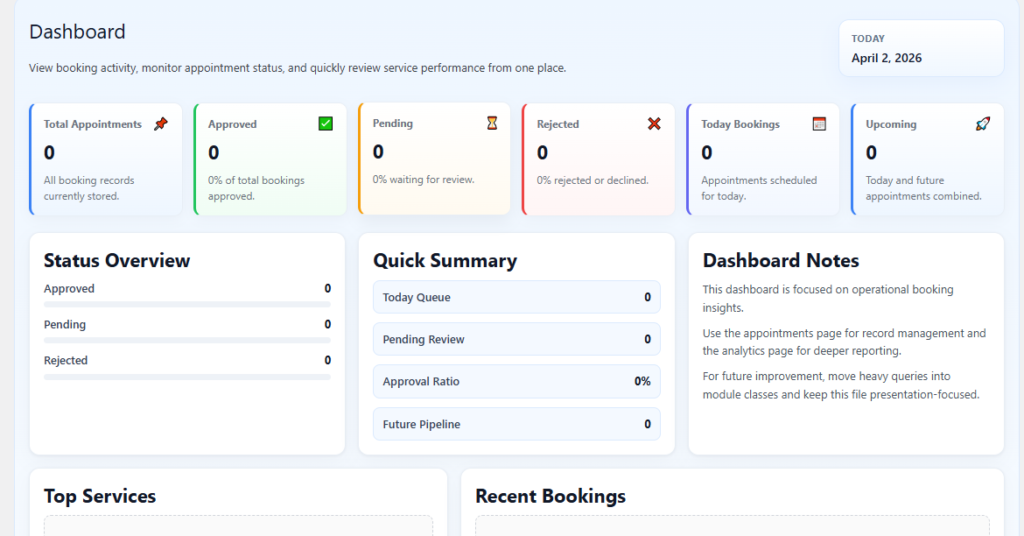
The dashboard gives a quick overview of booking activity and helps administrators review operational data without opening multiple pages.
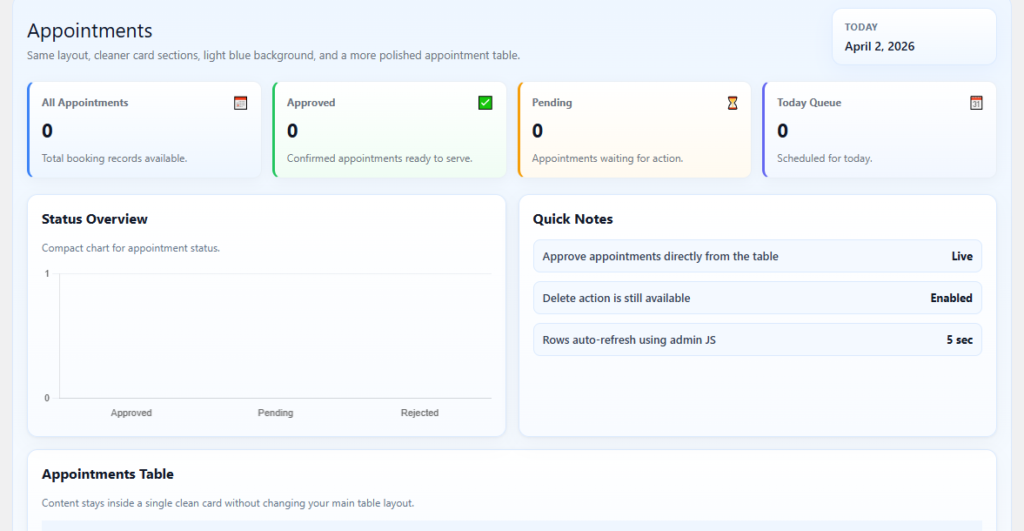
Appointments
The Appointments section allows you to review, organize, approve, reject, and manage all booking records in one place.
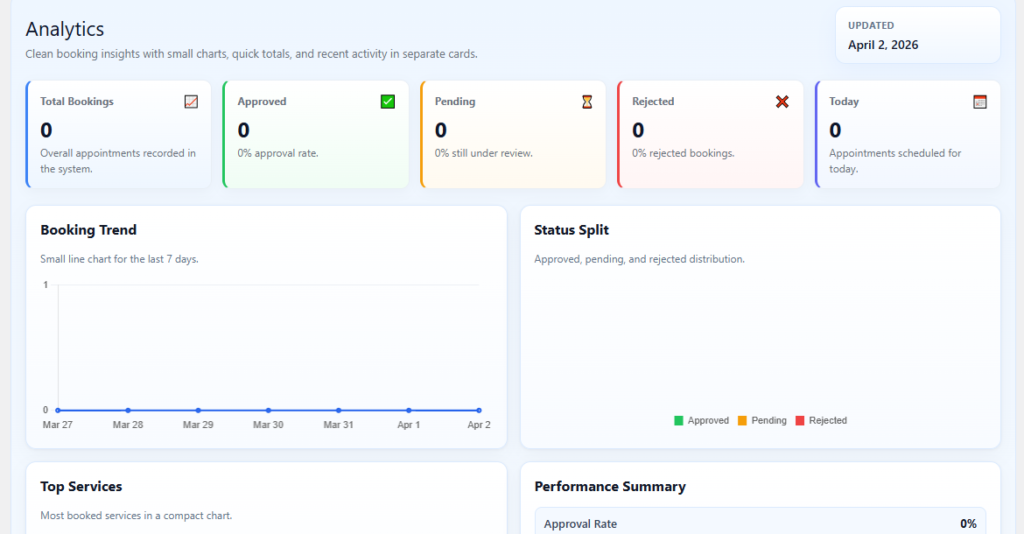
Analytics
The Analytics section provides an overview of booking performance, service activity, and customer trends. It helps administrators understand operational growth and make better scheduling decisions.
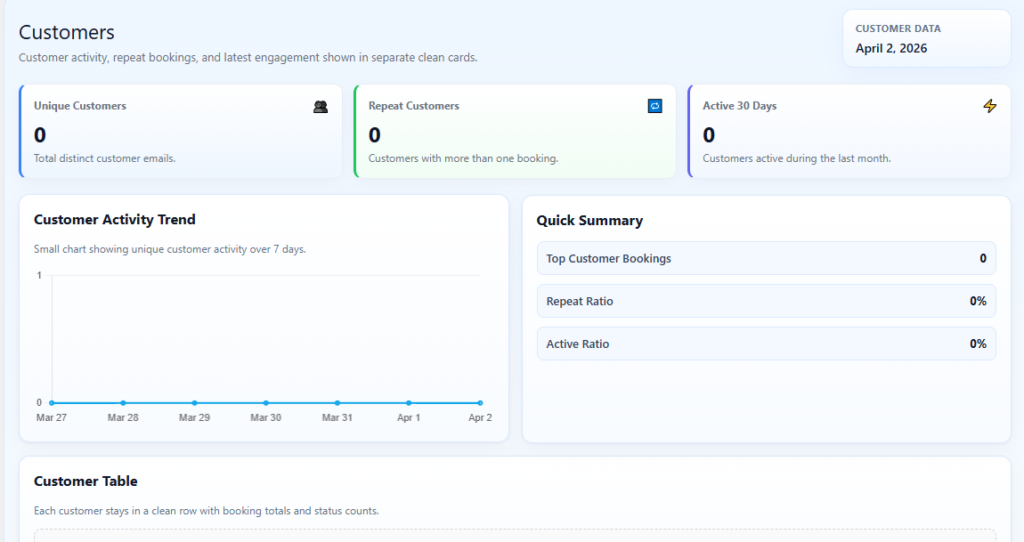
Customers
The Customers section helps you manage customer details, review booking history, and understand customer activity more clearly.
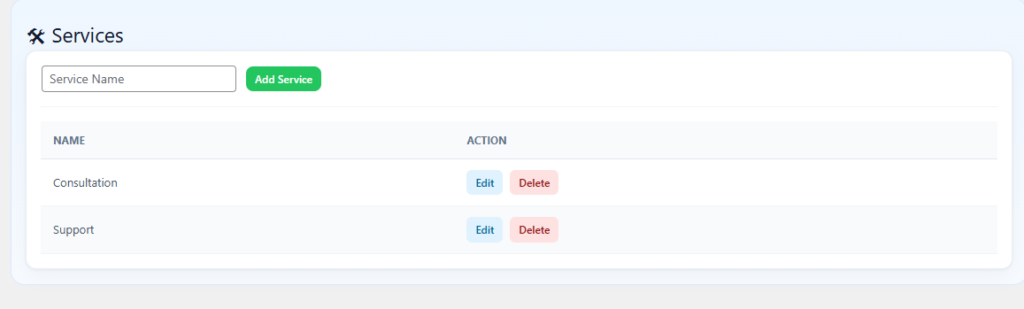
Services
The Services section is used to create, edit, and organize the services that customers can book from your website.
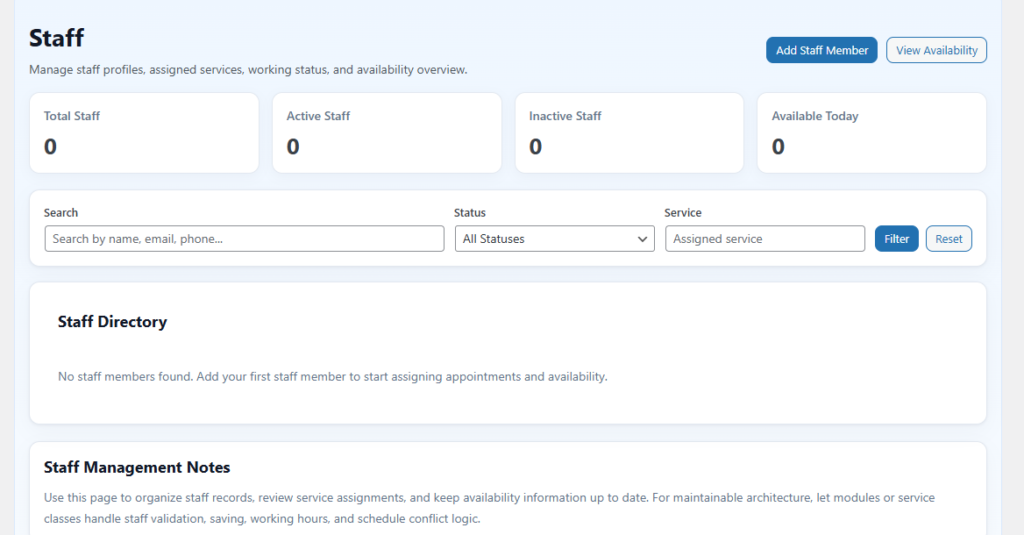
Staff
The Staff section allows you to manage team members, assign services, and define their working availability for accurate scheduling.
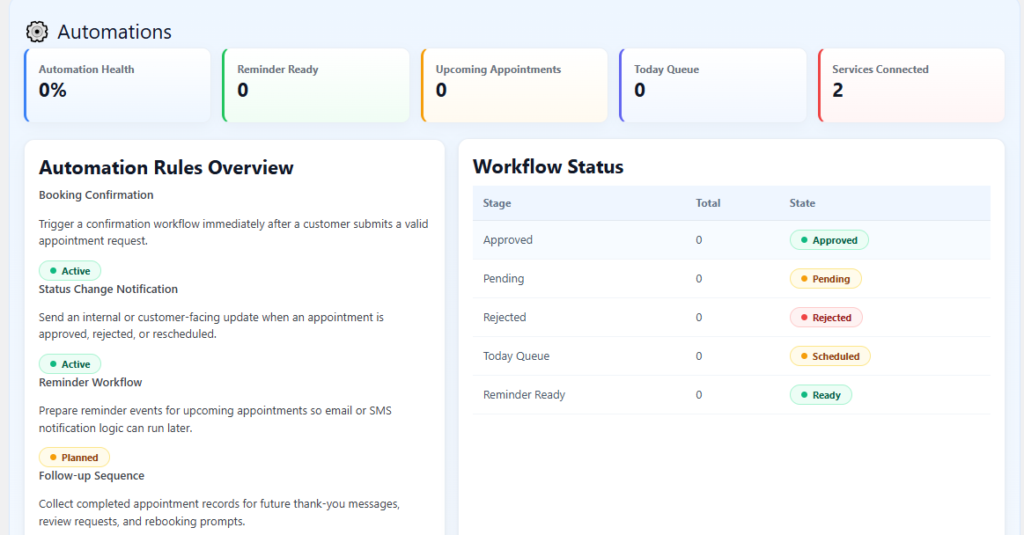
Automation
The Automation section helps reduce repetitive work by supporting reminders, status handling, and smart workflow actions.
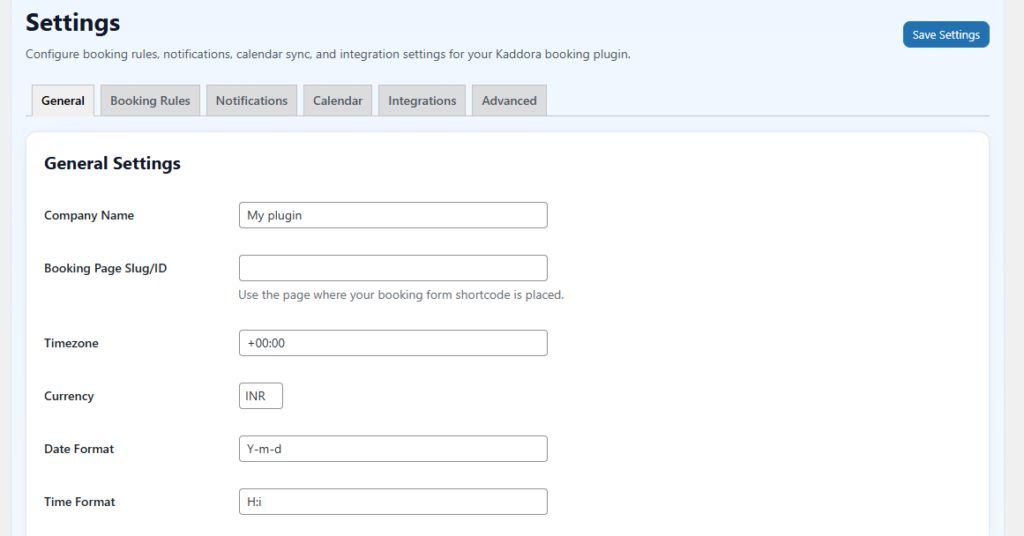
Settings
The Settings section controls the main configuration of the plugin, including booking rules, time settings, and operational preferences.
5. How It Works (Workflow) 📶
Kaddora AI Booking & Appointment Scheduler follows a structured workflow to help businesses manage appointments efficiently:
Service Setup –
The administrator creates and configures services that customers will be able to book.
Staff Assignment –
Staff members are added and assigned to relevant services with availability settings.
Booking Submission –
Customers submit booking requests through the booking form based on available services and scheduling rules.
Appointment Management –
Administrators review appointments and update them based on business needs and availability.
Customer Tracking –
Customer data and booking history are organized for better service management and follow-up.
Automation Support –
Automation tools help improve reminder handling, status flow, and general operational efficiency.
Analytics & Insights –
The analytics section provides performance insights that help businesses monitor booking trends and improve scheduling decisions.
6. Customization Options 🪼
Kaddora AI Booking & Appointment Scheduler includes flexible customization options for different appointment-based businesses.
- Service creation and editing
- Service duration and pricing setup
- Staff assignment and availability control
- Booking rule and time management
- Customer and appointment status control
- Reminder and notification preferences
- Dashboard and workflow organization
- Settings-based operational adjustments
- Shortcode-based booking form placement
- Custom styling for branding and UI adjustments
7. Shortcodes Guide 🎯
Kaddora AI Booking & Appointment Scheduler allows you to display booking functionality using shortcodes.
- Booking Form
[kaba_booking_form]
Displays the booking form so users can submit appointment requests from any selected page or post.
8. FAQ 🌐
1. Can I manage multiple services with this plugin?
Yes. The plugin is designed to support multiple services and service-based scheduling workflows.
2. Can I manage staff availability?
Yes. The Staff section allows you to organize team members, assign services, and manage availability.
3. Does the plugin support automation?
Yes. The plugin includes automation-oriented functionality that helps improve efficiency in booking operations.
4. Where can I manage appointments?
You can manage all bookings from the Appointments section in the plugin admin area.
5. Is this plugin suitable for appointment-based businesses?
Yes. It is built for businesses that need an organized appointment and scheduling system inside WordPress.
9. Troubleshooting 🔱
Plugin Menu Not Showing
- Plugin not activated
- Plugin files not uploaded correctly
- Incorrect plugin folder structure
- Unsupported WordPress or PHP version
Appointments Not Appearing
- Services not configured
- Booking form not placed correctly
- Settings not configured properly
- Database or plugin activation issue
Dashboard Appears Empty
- No booking activity recorded yet
- Test appointments have not been created
- Plugin setup not fully completed
Staff or Services Not Selectable
- Staff members or services not saved correctly
- Configuration incomplete
- Related settings missing
Time-Related Booking Issues
- Incorrect time zone configuration
- Working hours not defined properly
- Scheduling rules not configured as expected
Thanks for Visiting Kaddora Tech 💖