
Kaddora AI Smart Upsell for WooCommerce 🎀
User Documentation :📜
Kaddora AI is a WooCommerce plugin designed to boost sales through intelligent upsell recommendations and real-time analytics. It automatically displays relevant products based on user behavior and product relationships, helping increase average order value. The plugin tracks key events such as views, clicks, and conversions, providing clear insights into customer engagement. A built-in dashboard shows performance metrics like revenue and conversion rates, enabling data-driven decisions. Lightweight and optimized, Kaddora AI ensures smooth performance while offering a scalable structure that can be extended into a full SaaS-based solution for advanced eCommerce growth.
Table of Contents:
- Introduction
- Requirements
- Installation
- Dashboard Overview
- Analytics Overview
- Settings
- Workflow
- Performance
- Troubleshooting
- FAQ
- Support
1. Introduction :
Kaddora AI is a WooCommerce-based smart upsell and analytics plugin designed to improve eCommerce performance through intelligent product recommendations and real-time data tracking. It analyzes user interactions such as product views, clicks, and purchases to deliver relevant upsell suggestions that increase average order value. The plugin also provides a built-in dashboard with clear insights into conversions, revenue, and customer behavior, helping store owners make informed decisions. With its lightweight and scalable architecture, Kaddora AI can be extended into a full SaaS solution for advanced optimization and growth.
Key Points:
- AI-based product recommendation system
- Tracks views, clicks, and conversions
- Real-time analytics dashboard
- Revenue and conversion rate insights
- Lightweight and performance optimized
- Easy WooCommerce integration
- Scalable SaaS-ready architecture
2. Requirements :
Before installing the plugin, ensure your system meets these requirements:
- WordPress 5.8 or higher
- PHP 7.4 or higher
- HTTPS recommended
- Modern hosting environment
- WooCommerce 6.0 or higher
3. Installation :
Follow these steps to install the plugin:
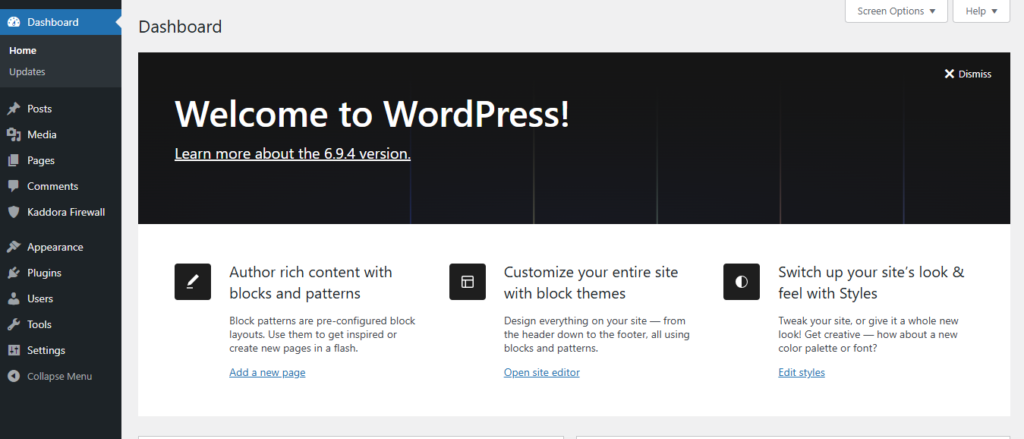
Step 1: Open Your WordPress Dashboard :
Step 2: Open Plugins :
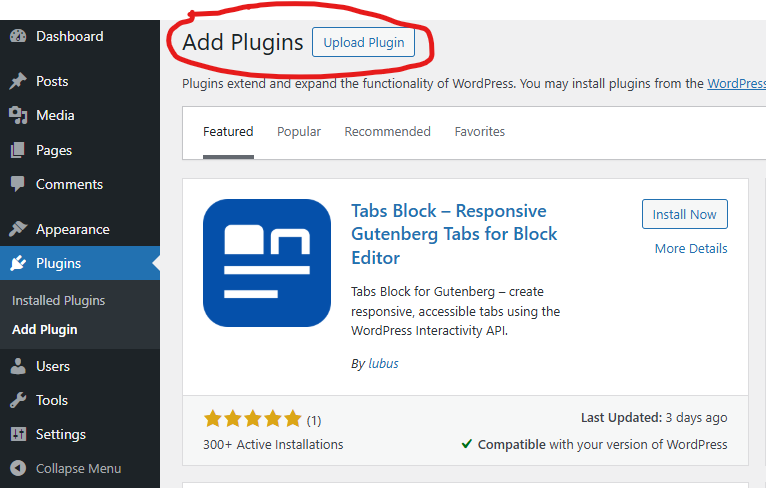
Go to Plugins → Add New.
Step 3: Upload Plugin :
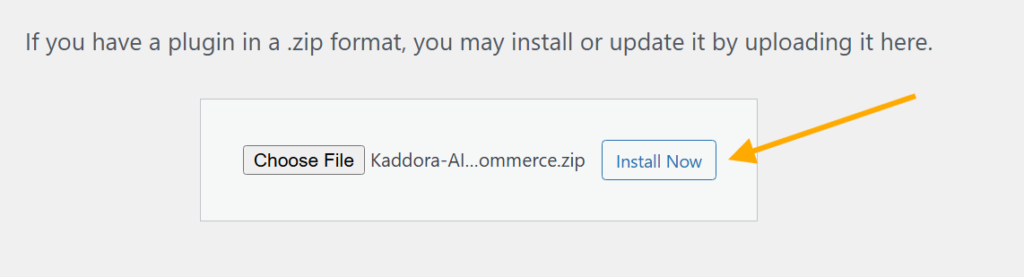
Click Upload Plugin and choose the ZIP file.
Step 4: Install :
Click Install Now.
Step 5: Activate :
Click Activate Plugin.

Step 6: Access Plugin :
Open plugin from dashboard menu.
4. Dashboard Overview :
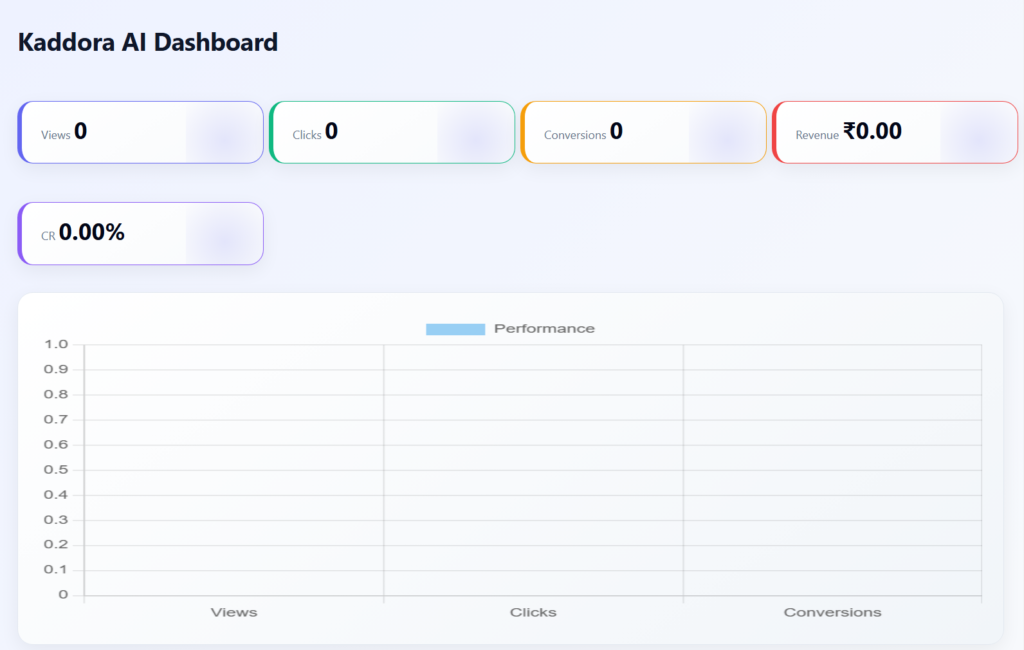
The Kaddora AI Dashboard provides a centralized view of your store’s upsell performance and customer engagement. It helps store owners quickly analyze how users interact with recommended products and how those interactions impact revenue and conversions. The dashboard is designed to be simple, fast, and informative, making it easy to monitor key business metrics in one place.
Key Points:
- Displays total views, clicks, and conversions
- Shows overall revenue generated from upsell products
- Calculates and presents conversion rate (CR)
- Highlights top-performing products based on revenue
- Includes visual charts for quick performance analysis
- Provides real-time insights for better decision-making
- Lightweight and optimized for fast loading
- Integrated directly into WooCommerce admin panel
5. Analytics Overview:
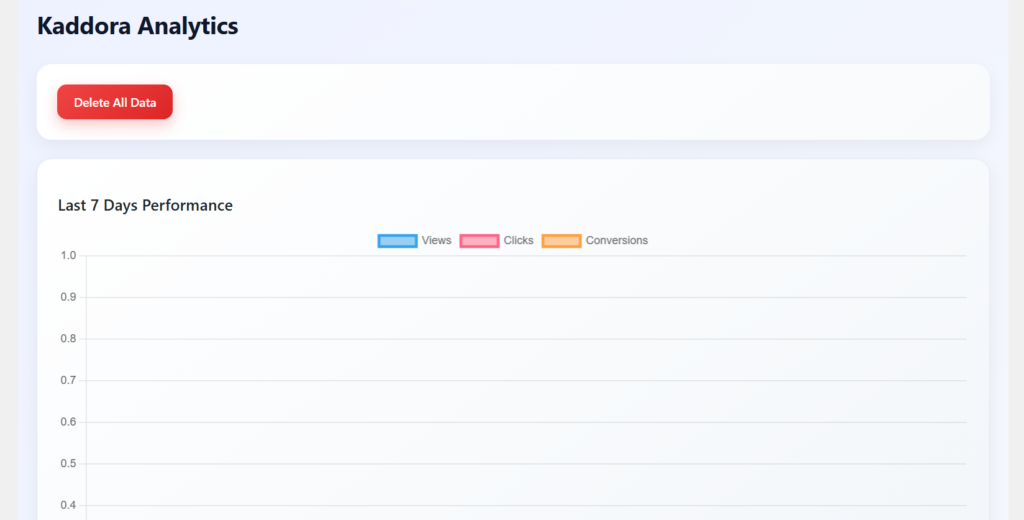
The Kaddora AI Analytics page provides detailed insights into user behavior and upsell performance over time. It focuses on tracking trends such as product views, clicks, and conversions across recent days, helping store owners understand how their upsell strategies are performing. The analytics section also visualizes revenue patterns and highlights which products receive the most user interaction.
Key Points:
- Displays last 7 days performance (views, clicks, conversions)
- Shows revenue trends using graphical charts
- Identifies top clicked products
- Helps analyze customer behavior over time
- Supports data-driven optimization of upsell strategies
- Includes visual charts for better understanding of trends
- Provides deeper insights beyond the main dashboard
- Clean and structured layout for easy analysis
6. Settings :
- License key activation and validation
- Enable/disable AI recommendations
- Configure upsell product display limit
- Toggle tracking (views, clicks, conversions)
- Control analytics data collection
- Manage remote configuration (SaaS-ready)
- Simple and user-friendly settings interface
- Integrated with WooCommerce admin panel

7. Workflow :
- User visits a product page and views recommended upsell products
- User interacts with recommendations (clicks tracked in real-time)
- Plugin records user behavior (views, clicks, session data) in database
- If a purchase is completed, conversion and revenue are recorded
- Dashboard and analytics process this data to display performance insights
8. Performance :
- Optimized database queries ensure fast data retrieval and minimal load time
- Uses transient caching to reduce repeated database calls
- Lightweight architecture avoids slowing down the WooCommerce store
- Asynchronous tracking via AJAX prevents blocking user experience
- Selective script loading (only on product pages) improves frontend speed
- Efficient data handling supports scalability for large product catalogs
- Minimal server resource usage with clean and optimized code structure
- Designed to maintain high performance even with increasing traffic and data
9. Troubleshooting :
Plugin not working
Check activation and settings
No data showing
Wait for activity
Conflict issue
Disable other plugins
10. FAQ :
1. How does Kaddora AI improve sales?
Kaddora AI increases sales by showing relevant upsell product recommendations based on user behavior and product relationships, helping boost average order value.
2. Does the plugin slow down my website?
No, the plugin is optimized with lightweight code, caching, and selective loading to ensure it does not impact your store’s performance.
3. Can I track real conversions and revenue?
Yes, the plugin tracks user interactions and completed orders to provide accurate conversion data and revenue insights in the dashboard and analytics section.
11. Support :
- Contact developer
- Plugin support page
Thank you for using Kaddora AI Smart Upsell for WooCommerce Plugin.