
Kaddora AI Conversion Optimizer🎗️
User Documentation:📜
Kaddora AI Conversion Optimizer is a powerful WordPress plugin designed to improve website conversions using intelligent tracking, analytics, and AI-driven optimization techniques.
It enables website owners to monitor user behavior, analyze engagement patterns, and apply data-driven strategies to increase conversions and overall website performance.
This plugin simplifies the optimization process by combining tracking systems, analytics dashboards, and AI-powered suggestions into a single, easy-to-use interface within WordPress. It reduces manual effort and helps users make smarter decisions for better results.
Table of Contents
- 1. Overview
- 2. Requirements
- 3. Installation
- 4. Dashboard
- 5. Settings
- 6. Analytics
- 7. A/B Testing
- 8. Reports
- 9. AI Insights
- 10. Workflow
- 11. Performance
- 12. Troubleshooting
- 13. FAQ
- 14. Support
- 15. Changelog
1. Overview
Kaddora AI Conversion Optimizer is a modern WordPress plugin designed to enhance website performance by improving user engagement and conversion rates through intelligent tracking and AI-powered insights. It provides website owners with a centralized dashboard to monitor user behavior, analyze interactions, and identify areas that need optimization.
The plugin tracks key user activities such as clicks, page visits, and engagement patterns, transforming raw data into meaningful analytics. With its built-in AI suggestion engine, users receive actionable recommendations to improve layout design, call-to-action placement, and overall user experience. This helps reduce bounce rates and increase conversions without requiring advanced technical knowledge.
Kaddora AI Conversion Optimizer is built with a scalable and modular architecture, making it suitable for blogs, business websites, landing pages, and eCommerce platforms. Its lightweight structure ensures minimal impact on website speed while maintaining high performance.
2. Requirements
- WordPress 6.0+
- PHP 7.4+
- MySQL 5.6+
- Modern Browser
3. Installation
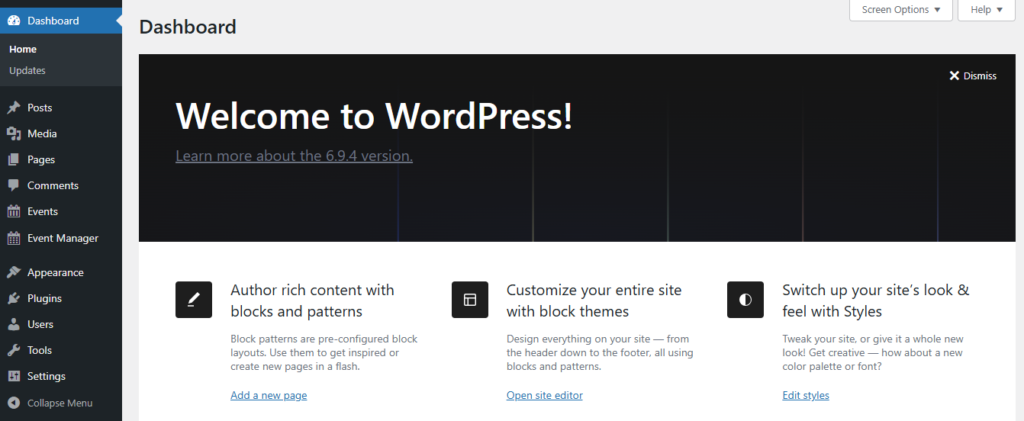
- Go to WordPress Dashboard
- Open Plugins → Add New
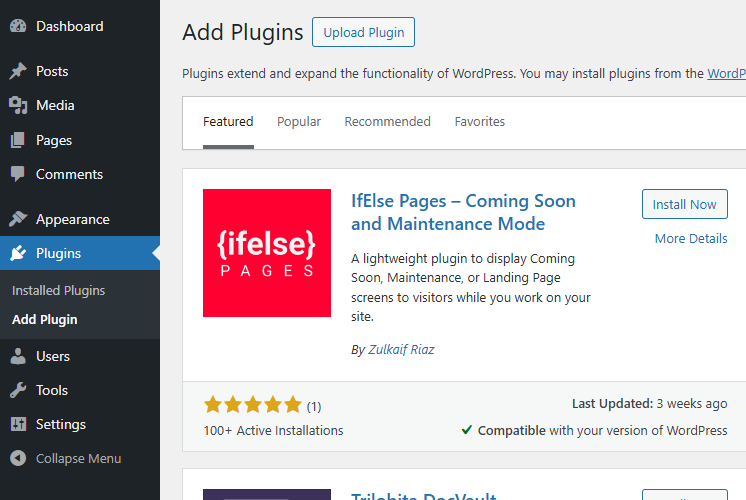
- Click Upload Plugin
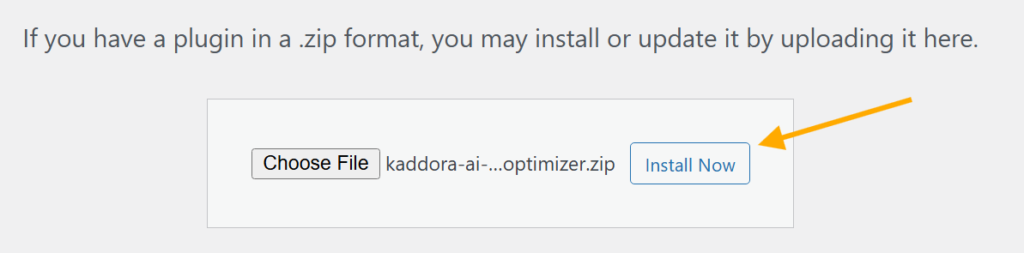
- Select ZIP file
- Click Install Now
- Activate Plugin

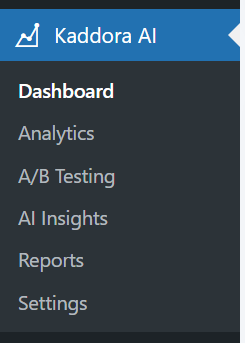
- Open plugin menu from sidebar
4. Dashboard
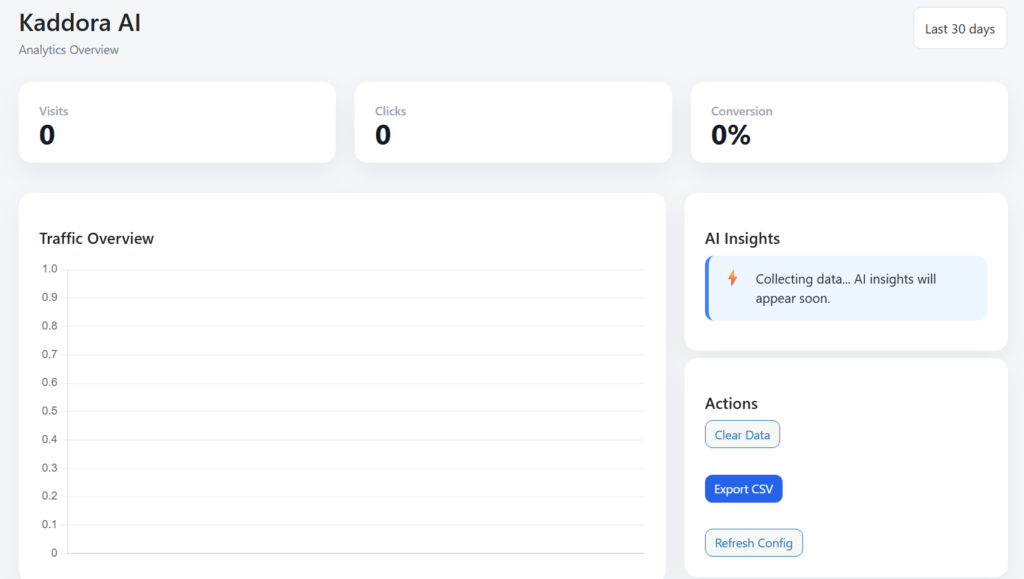
The Kaddora AI Dashboard provides a real-time overview of user activity, conversions, and AI-driven insights to help optimize website performance.
5. Settings
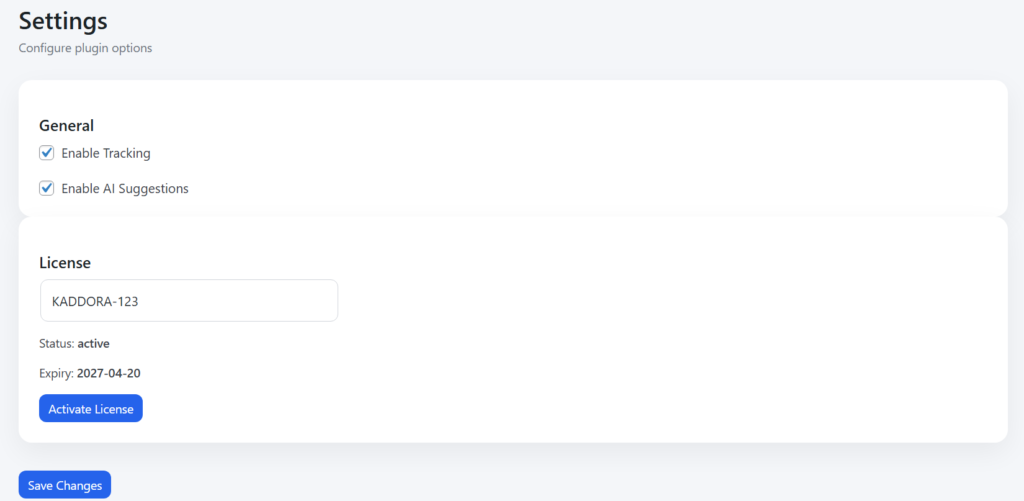
- Enable Tracking:
Allows the plugin to collect user activity data such as visits, clicks, and interactions. - Enable AI Suggestions:
Activates AI-powered recommendations to improve user experience and conversion rates. - License Key Field:
Used to enter and verify the plugin license for accessing premium features. - License Status:
Displays whether the license is active or inactive. - Expiry Date:
Shows the validity period of the current license. - Activate License Button:
Verifies and activates the entered license key. - Save Changes Button:
Saves all configuration settings applied by the user.
6. Analytics
7. A/B Testing
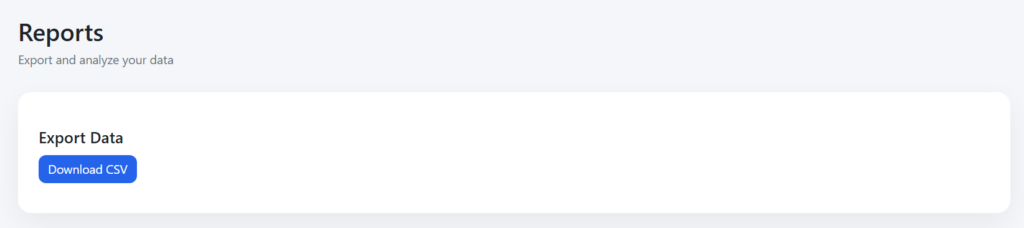
8. Reports
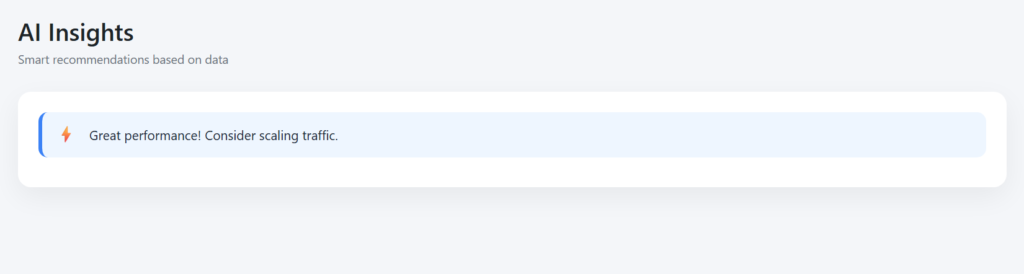
9. AI Insights
10. Workflow
- Install Plugin
- Activate Plugin
- Configure Settings
- Enable Tracking
- Collect User Data
- View Analytics Dashboard
- Analyze User Behavior
- Apply AI Suggestions
- Optimize Pages
- Monitor Performance
11. Performance
- Lightweight and fast execution
- Minimal impact on page load speed
- Optimized database queries
- Asynchronous data tracking
- Scalable for high traffic websites
- Compatible with caching systems
- Smooth dashboard performance
12. Troubleshooting
Plugin not visible: Check activation
Events not showing: Check configuration
Dashboard empty: No data available
Time issues: Check time zone
13. FAQ
Q1. Does Kaddora AI Conversion Optimizer affect website speed?
No, the plugin is optimized for performance and uses lightweight, asynchronous tracking methods to ensure minimal impact on page load time.
Q2. Can I disable tracking and AI suggestions anytime?
Yes, both tracking and AI suggestions can be easily enabled or disabled from the settings panel as per your requirements.
14. Support
- WordPress Version
- Plugin Version
- PHP Version
- Error Details
15. Changelog
- Version 1.0.0 – Initial Release
© Kaddora Tech