
Kaddora AI Duplicate Page Plugin 🎀
User Documentation:📜
Kaddora AI Duplicate Page Plugin is a powerful WordPress plugin that allows users to duplicate posts, pages, and custom post types instantly, with optional AI-powered content rewriting and automation features.
Table of Contents
- 1. Overview
- 2. Requirements
- 3. Installation
- 4. Dashboard
- 5. Automation
- 6. AI Tools
- 7. History
- 8. Duplicate
- 9. Bulk Duplicate
- 10. Settings
- 11. Workflow
- 12. Performance
- 13. Troubleshooting
- 14. FAQ
- 15. Support
- 16. Changelog
1. Overview
The plugin provides a fast and efficient way to duplicate posts, pages, and custom post types directly from the WordPress dashboard. It enhances the standard duplication process with optional AI-powered content rewriting, customizable settings, and automation features — all in a simple and user-friendly interface.
2. Requirements
- WordPress 6.0+
- PHP 7.4+
- MySQL 5.6+
- Modern Browser
3. Installation
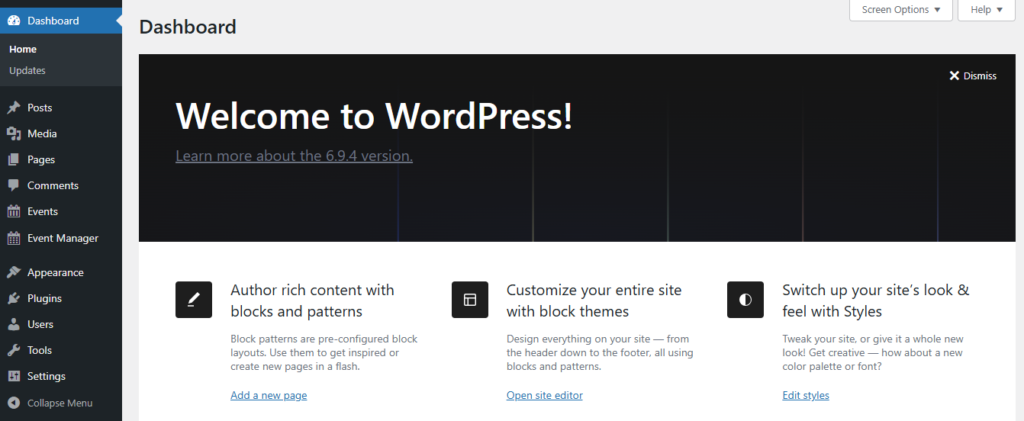
- Go to WordPress Dashboard
- Open Plugins → Add New
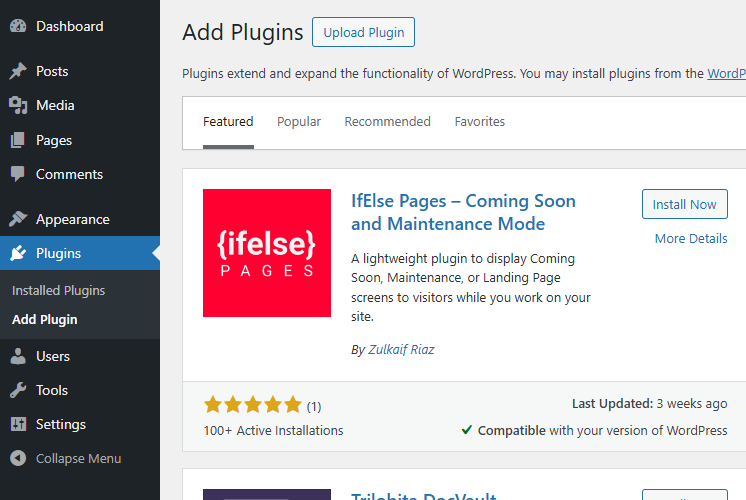
- Click Upload Plugin
- Select ZIP file
- Click Install Now
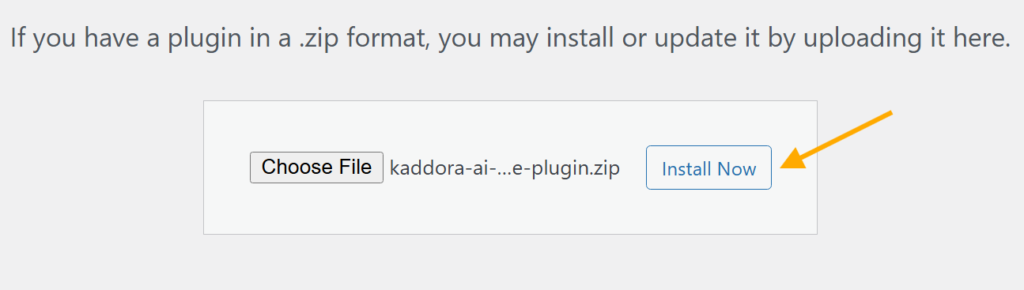
- Activate Plugin

- Open plugin menu from sidebar
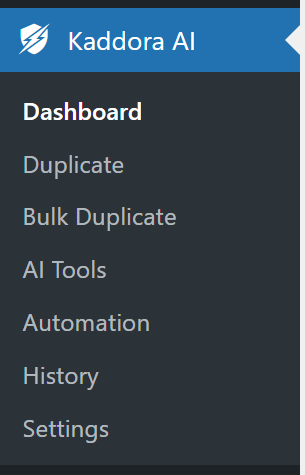
After activation, configure settings before creating events.
4. Dashboard
The Dashboard provides a quick overview of event activity and system performance.
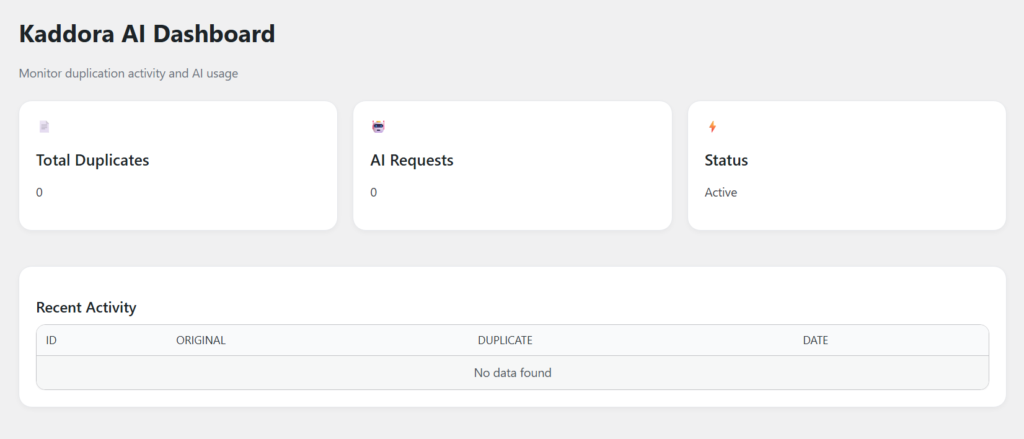
- Duplicates
- AI Requests
- Status
5. Automation
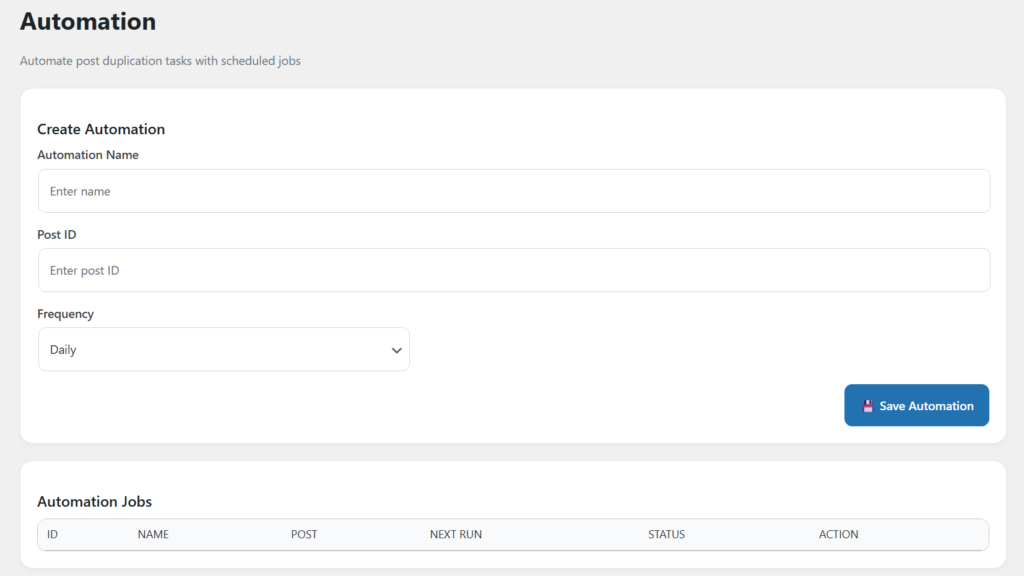
The Automation feature allows you to schedule post duplication tasks at set intervals like daily, weekly, or monthly. Simply select a post, define the frequency, and the plugin will automatically create duplicates without manual effort.
6. AI Tools
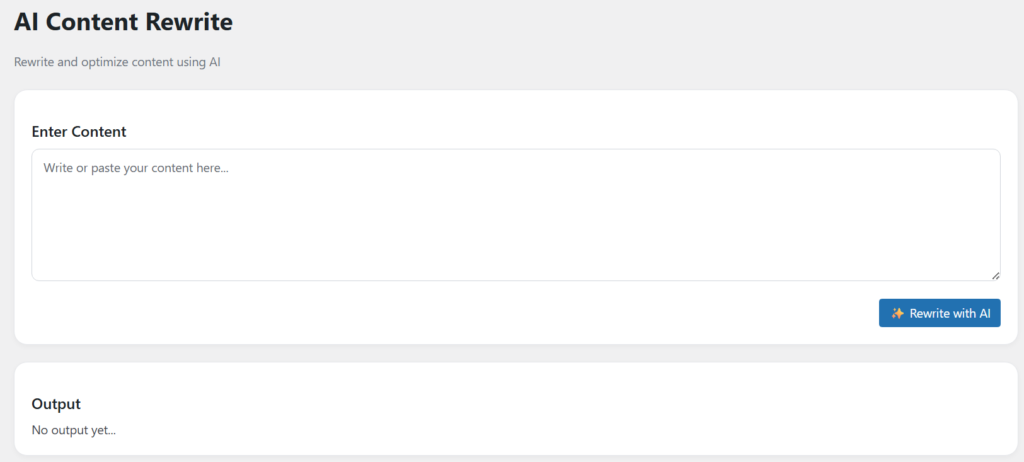
The AI Content Rewrite feature allows you to enhance, rephrase, and optimize your content instantly using AI. Simply enter or paste your content, and the system will generate a refined version with improved clarity, readability, and SEO optimization — all within seconds.
7. History
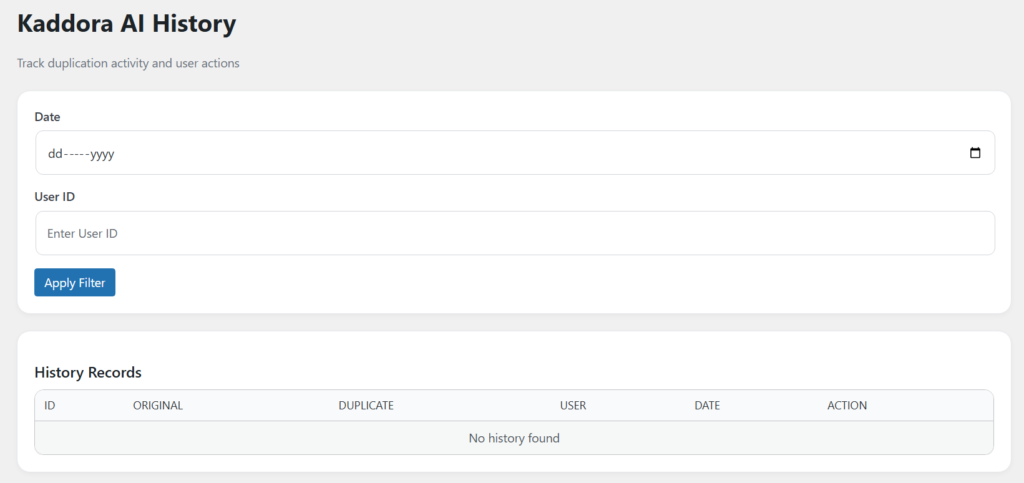
- Track all post duplication activities in one place
- Monitor which original post was duplicated
- View generated duplicate post details
- Identify the user who performed the action
- Check date and time of each duplication
- Filter records by date and user ID
- Maintain a complete activity log for transparency
- Helps in auditing and tracking workflow actions
- Easy-to-read table format with quick access
- Option to review or manage past actions
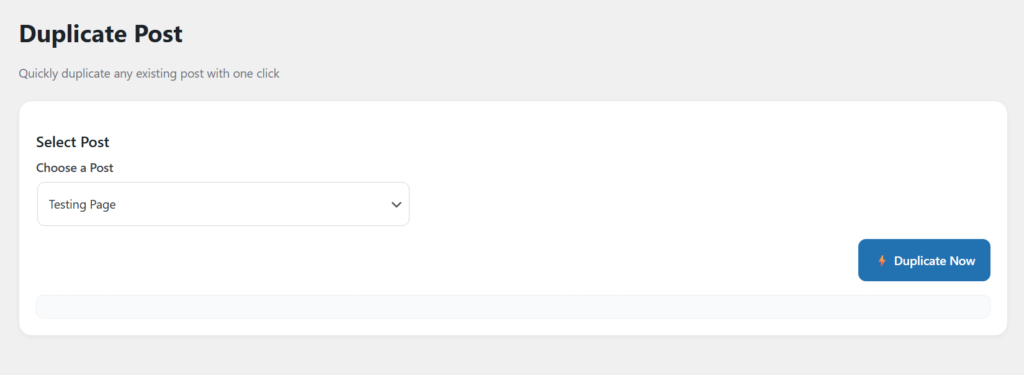
8. Duplicate Post
- Quickly duplicate any post or page with one click
- Select the post you want to duplicate from dropdown
- Instantly create a copy without manual editing
- Saves duplicated post as draft or based on settings
- Preserves content, title, and structure
- Simple and user-friendly interface
- Fast duplication process with minimal effort
- Helps in creating content variations easily
9. Bulk Duplicate Posts
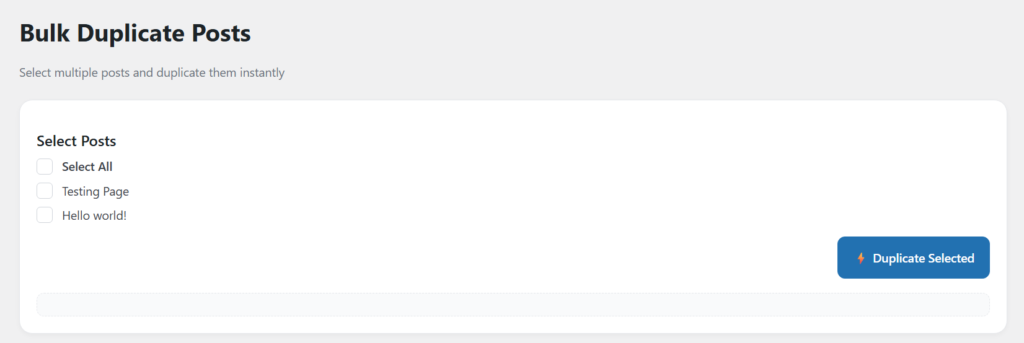
- Duplicate multiple posts at once with a single action
- Select multiple posts using checkboxes
- Option to Select All for quick bulk actions
- Instantly create copies of selected posts
- Saves time when working with large content sets
- Maintains original content structure and data
- Reduces repetitive manual duplication tasks
- Simple and efficient bulk workflow
- Ideal for content scaling and management
- One-click execution with fast processing
10. Settings
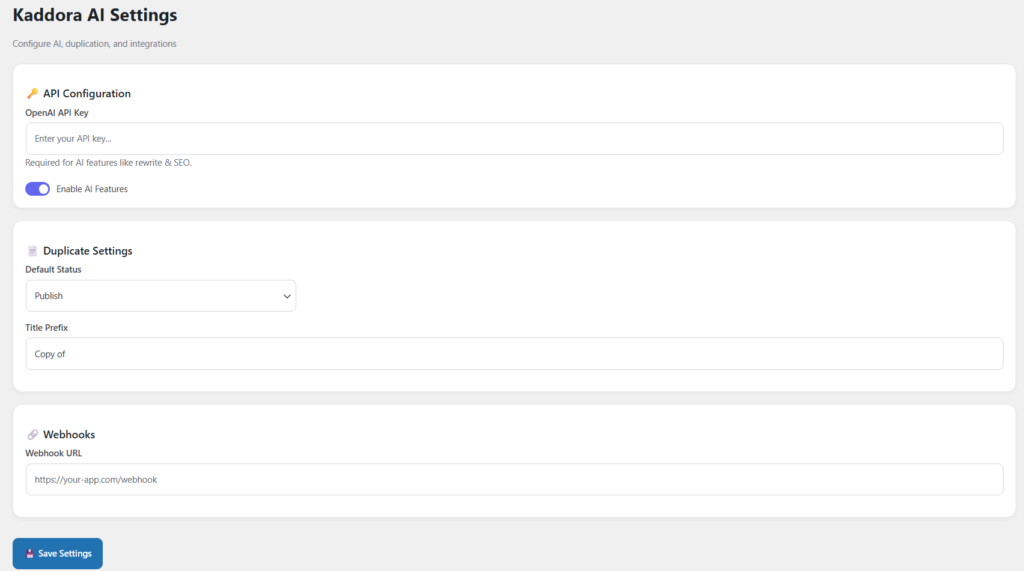
- Configure AI and duplication settings from one place
- Add OpenAI API Key to enable AI features
- Enable or disable AI functionality toggle
- Set default post status (Draft / Publish / Pending)
- Add custom title prefix (e.g., “Copy of”)
- Control how duplicated posts are created
- Integrate external tools using Webhook URL
- Send data to third-party apps via webhooks
- Simple and organized settings interface
- One-click save to apply all configurations
11. Workflow
- Install Plugin
- Configure Settings (API Key, Status, Prefix)
- Enable AI Features (Optional)
- Select Post / Multiple Posts
- Click Duplicate (Single / Bulk)
- Apply AI Rewrite (Optional)
- Automation Runs (if scheduled)
- Save or Publish Duplicated Content
- Track Activity in History Logs
12. Performance
- Fast Post Duplication Process
- Optimized AJAX-Based Actions
- Lightweight & Clean Code Structure
- Smooth WordPress Dashboard Experience
- Minimal Server Resource Usage
- Efficient Bulk Processing
- Scalable for Large Content Sites
- Quick Response Time for Actions
13. Troubleshooting
Plugin not visible: Check activation
Events not showing: Check configuration
Dashboard empty: No data available
Time issues: Check time zone
14. FAQ
Q1. Why is the post not duplicating?
Make sure you have selected a valid post and have proper permissions enabled.
Q2. Can I duplicate multiple posts at once?
Yes, you can use the Bulk Duplicate feature to duplicate multiple posts in one click.
15. Support
- WordPress Version
- Plugin Version
- PHP Version
- Error Details
16. Changelog
- Version 1.0.0 – Initial Release
© Kaddora Tech