
Kaddora AI Content Writer 🎀
User Documentation:📜
Kaddora AI Content Writer is a powerful WordPress plugin that helps users generate high-quality AI content directly from the dashboard. It includes SEO tools, templates, automation, and content history tracking.
🔹 AI Content Generator
- Generate blog posts using prompts
- Supports different tones (professional, casual, etc.)
- Fast AJAX-based generation
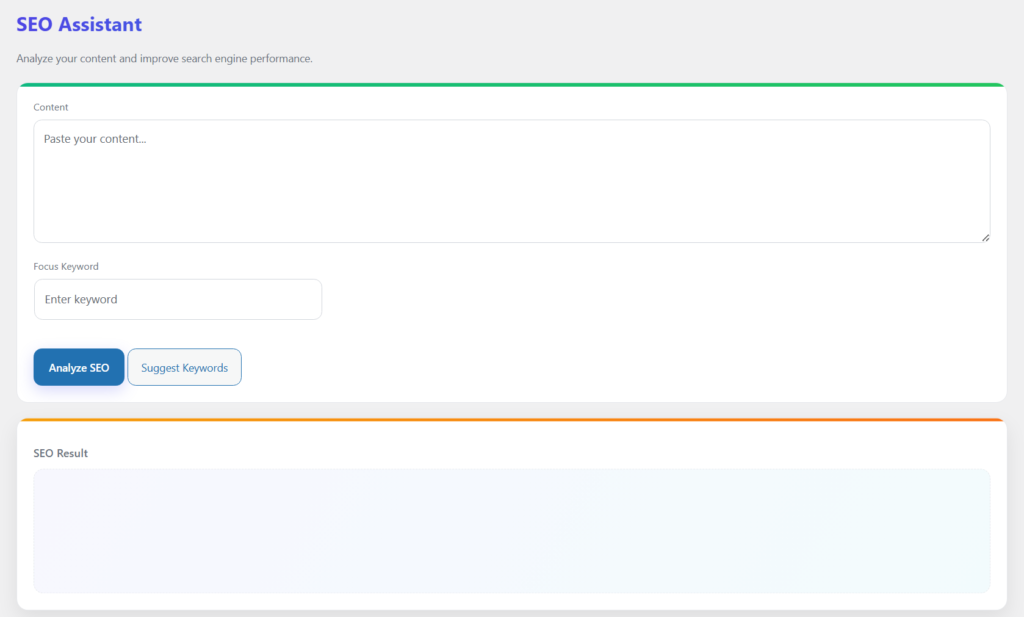
🔹 SEO Analyzer
- Analyze content SEO score
- Suggestions for improvement
- Keyword optimization
🔹 Templates System
- Pre-built templates
- Save custom templates
- Reuse content structures
🔹 Content History
- Stores generated content
- Quick access and reuse
- Delete without page reload (AJAX)
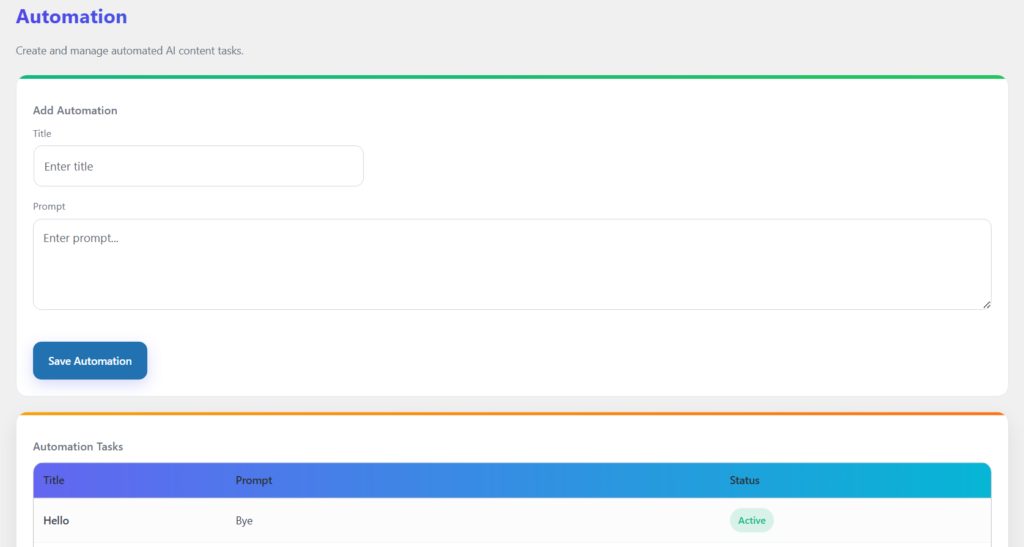
🔹 Automation (if added)
- Auto-generate content on schedule
- Cron-based system
Table of Contents
- 1. Overview
- 2. Requirements
- 3. Installation
- 4. Dashboard
- 5. Generator
- 6. Settings
- 7. History
- 8. Automation
- 9. SEO
- 10. Logs
- 11. Workflow
- 12. Performance
- 13. Troubleshooting
- 14. FAQ
- 15. Support
- 16. Changelog
1. Overview
The plugin provides a powerful AI-driven system to generate, manage, and optimize content directly from the WordPress dashboard. It combines content generation, SEO analysis, templates, and automation into a single streamlined interface.
2. Requirements
- WordPress 6.0+
- PHP 7.4+
- MySQL 5.6+
- Modern Browser
3. Installation
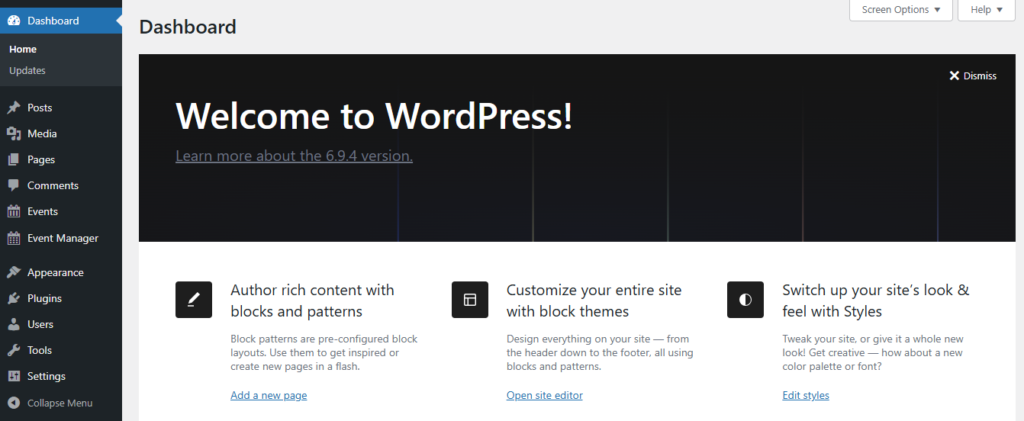
- Go to WordPress Dashboard
- Open Plugins → Add New
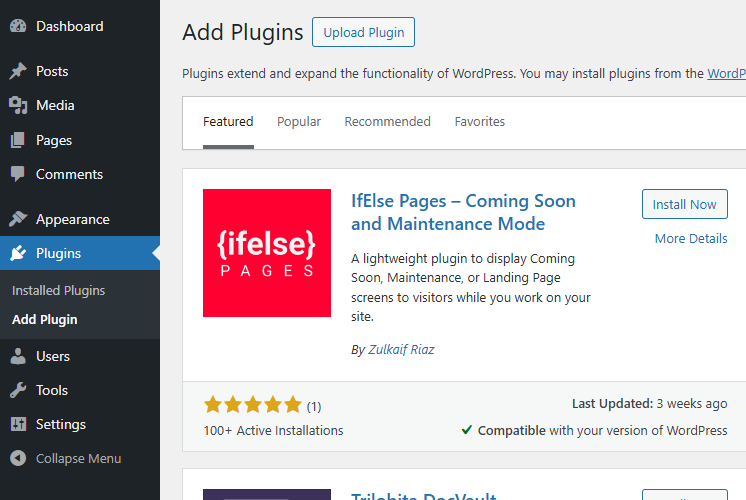
- Click Upload Plugin
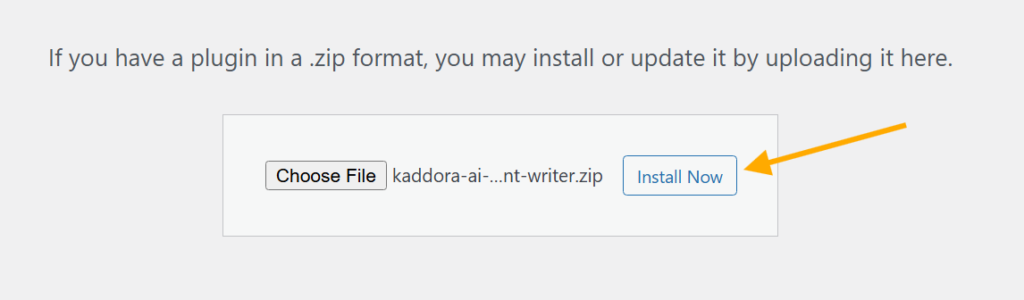
- Select ZIP file
- Click Install Now
- Activate Plugin

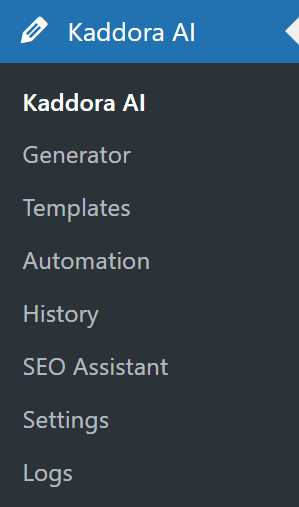
- Open plugin menu from sidebar
After activation, configure settings before creating events.
4. Dashboard
The Dashboard provides a quick overview of event activity and system performance.
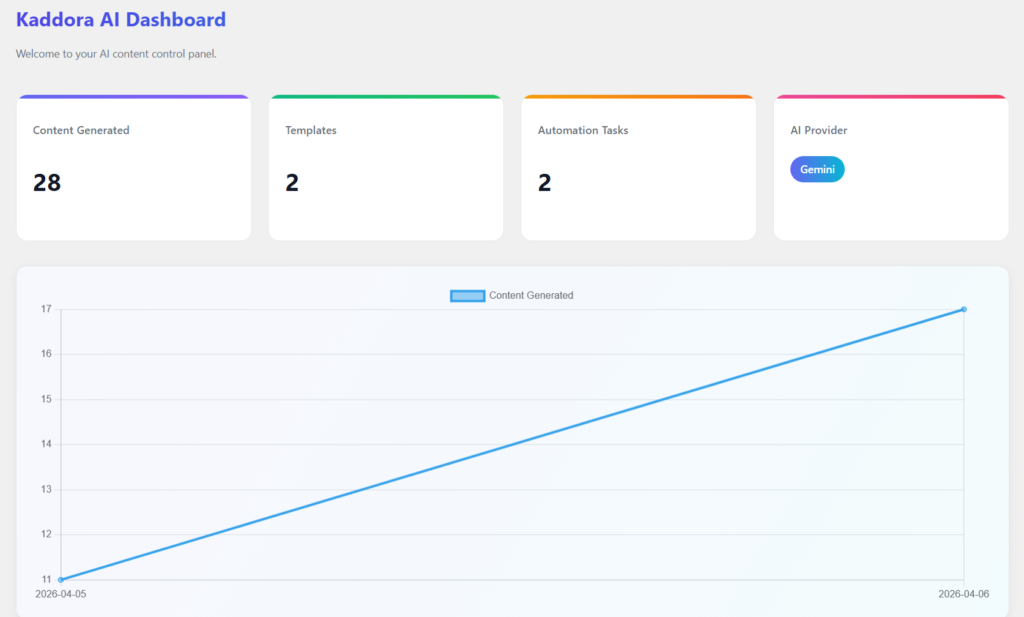
- Total Content
- Templates
- Automation Tasks
- AI Types
5. Generator
Generates high-quality AI content instantly from user prompts directly within the WordPress dashboard.
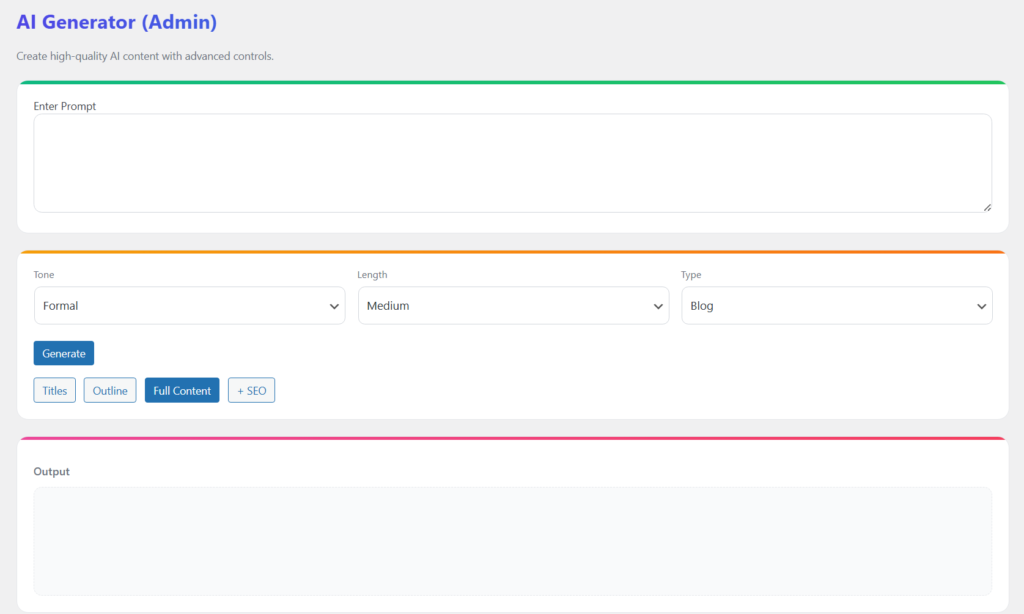
- Generates high-quality AI content instantly from user prompts
- Supports multiple writing tones and styles
- Fast AJAX-based content generation without page reload
- Creates SEO-friendly blog articles and content
- Allows quick editing and regeneration of outputs
- Saves generated content automatically in history
- Works directly inside the WordPress dashboard
- Simple and user-friendly interface for quick usage
6. Settings
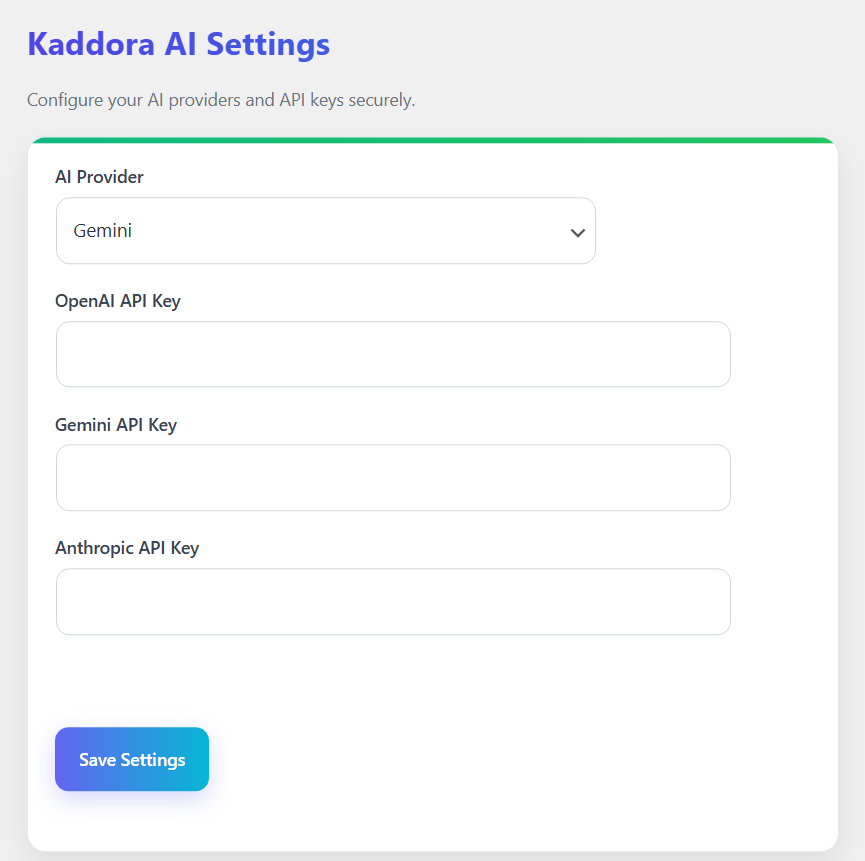
- Select preferred AI provider (OpenAI, Gemini, Anthropic)
- Add and manage multiple API keys
- Secure API key configuration
- Easy switching between AI providers
- Simple and clean settings interface
- One-click save for all configurations
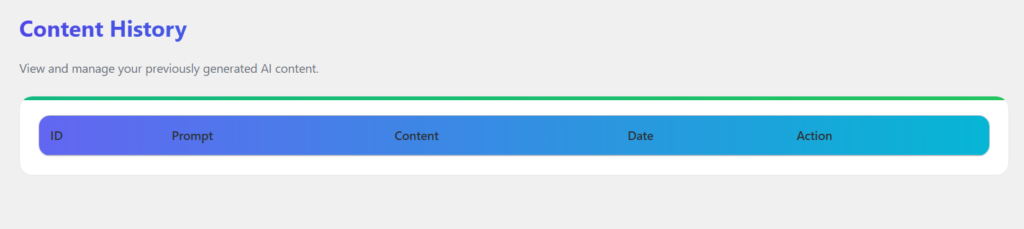
7. History of Generator
8. Automation
9. SEO
10. Logs
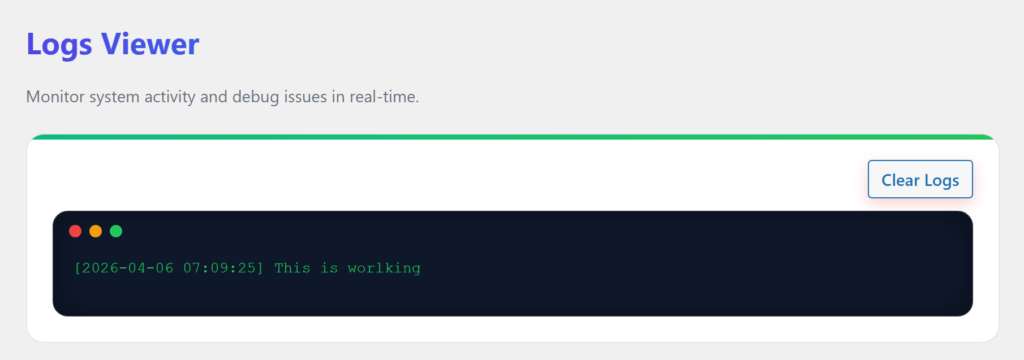
- Track all AI content generation activities
- View request status, responses, and errors
- Debug issues with detailed API logs
11. Workflow
- Install Plugin
- Configure API Settings
- Select AI Provider
- Enter Content Prompt
- Generate AI Content
- Analyze SEO (Optional)
- Save or Reuse Content
- Monitor Logs & History
12. Performance
- Fast AI Content Generation
- Optimized AJAX Requests
- Lightweight & Efficient Code
- Smooth Dashboard Experience
- Minimal Server Load
- Scalable Architecture
13. Troubleshooting
Plugin not visible: Check activation
Events not showing: Check configuration
Dashboard empty: No data available
Time issues: Check time zone
14. FAQ
Q1. Why is AI content not generating?
Make sure your API key is added and valid in settings.
Q2. Can I switch between AI providers?
Yes, you can easily switch providers from the settings page.
15. Support
- WordPress Version
- Plugin Version
- PHP Version
- Error Details
16. Changelog
- Version 1.0.0 – Initial Release
© Kaddora Tech