
Kaddora AI Property & Rental Management 🎀
User Documentation📜:
Kaddora AI Property & Rental Management is a powerful WordPress SaaS plugin designed for modern property and rental businesses. It helps landlords and property managers manage properties, tenants, invoices, rent payments, and occupancy tracking from a single dashboard. The plugin includes automated invoice generation, payment tracking, AI-powered rent reminders, and multi-channel notifications via Email and WhatsApp-ready integrations. Built with a scalable modular architecture, REST APIs, and secure WordPress coding standards, it provides a fast, organized, and automation-driven rental management experience. Designed for scalability and future integrations, Kaddora simplifies property operations while reducing manual management work.
📑 Table of Contents
1. Introduction 🎗️
Kaddora AI Property & Rental Management is a modern SaaS-style WordPress plugin built for landlords, property managers, rental agencies, and real-estate businesses. It provides a centralized system to manage properties, tenants, invoices, rent payments, and automated reminders directly from the WordPress dashboard. The plugin is designed with a scalable modular architecture using pure PHP and WordPress standards, making it secure, lightweight, and future-ready. With AI-powered notifications, REST API support, analytics, and automation features, Kaddora simplifies rental operations while reducing manual management work.
Key Features
- Property & Tenant Management
- Automated Invoice Generation
- Rent Payment Tracking System
- AI-Powered Rent Reminder Notifications
- Email & WhatsApp Ready Integrations
- Revenue & Occupancy Analytics Dashboard
- REST API Support for External Integrations
- Secure WordPress Coding Standards
- SaaS-Level Modular Architecture
- Frontend Tenant Dashboard & Shortcodes
- Automated Payment & Invoice Synchronization
- Scalable System for Future AI & Payment Gateway Integrations
2. Requirements & Compatibility ⚙️
- Requires WordPress 6.0 or higher
- Compatible with PHP 7.4+ and MySQL 5.7+
- Built using native WordPress APIs and coding standards
- Works with most modern WordPress themes and hosting environments
- Recommended: HTTPS enabled and WP REST API support for full functionality
3.Plugin Installation 📌
- Go to the WordPress Dashboard -:
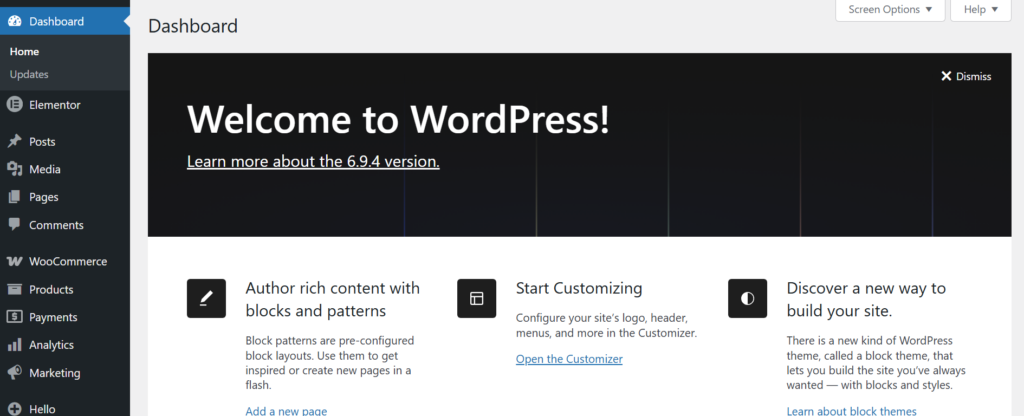
- Plugins → Add New →
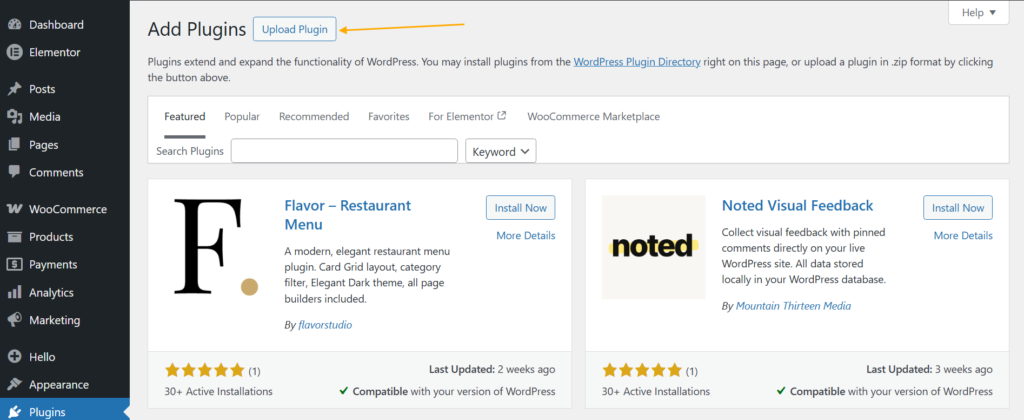
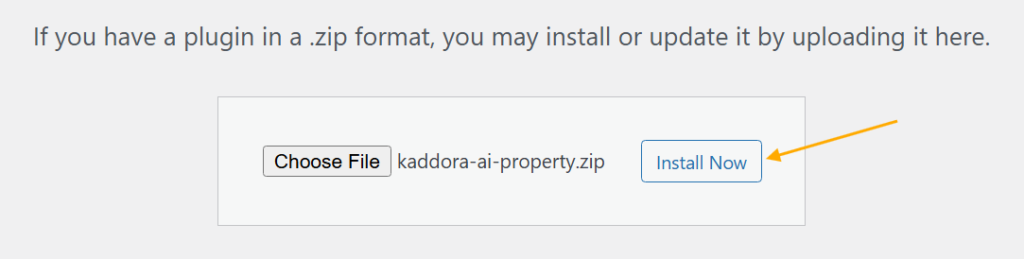
- Upload Plugin > Choose the kaddora-ai-property plugin file and click Install Now.
- After successfully Installation & Activation of plugin, you will see ‘Kaddora AI Property & Rental Management’ in your installed plugin section, here you can check version and description about the plugin.

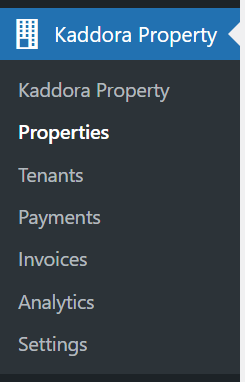
- In the WordPress dashboard, you will find the Kaddora Property option under WooCommerce. Click on it to access the plugin settings and manage return requests.
4. Dashboard 🛠️
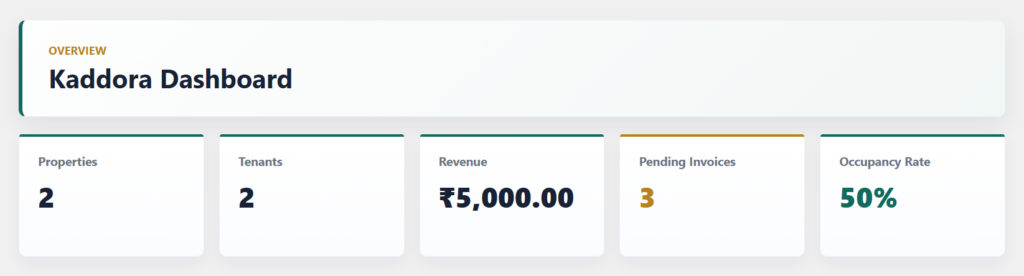
- Displays total properties, tenants, revenue, pending invoices, and occupancy statistics in one centralized dashboard
- Provides real-time rental business insights with clean SaaS-style analytics cards
- Helps property managers track payments, invoices, and tenant activity efficiently
- Includes revenue monitoring and occupancy tracking for better property management decisions
- Designed with a modern and scalable admin interface fully integrated into WordPress
5.Properties
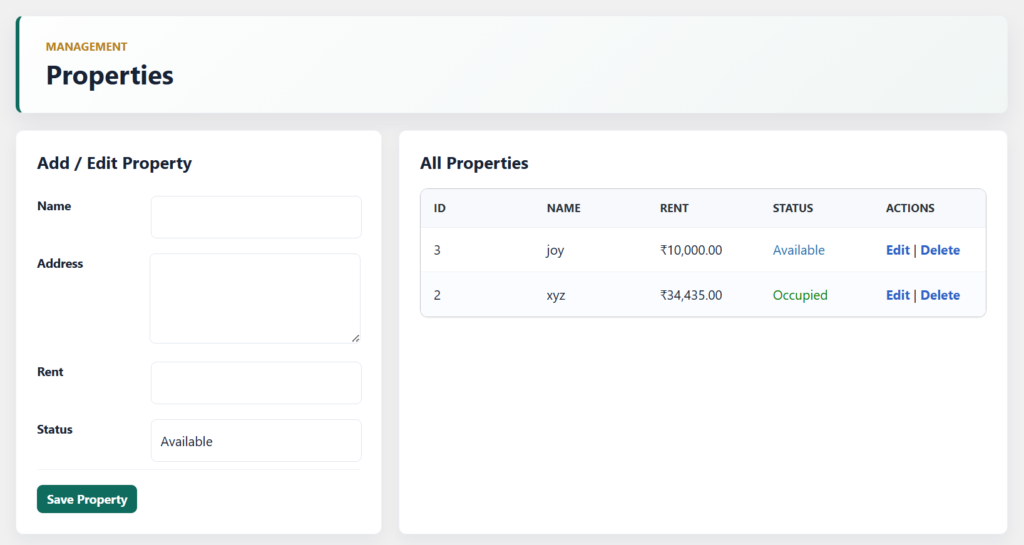
- Easily add, edit, and manage rental properties from a centralized WordPress dashboard
- Store important property details including property name, address, rent amount, and occupancy status
- View all properties in a clean and organized management table with quick action controls
- Track property availability and occupied units for better rental management and monitoring
- Designed with a scalable SaaS-style interface for efficient property administration and future expansion
6.Settings
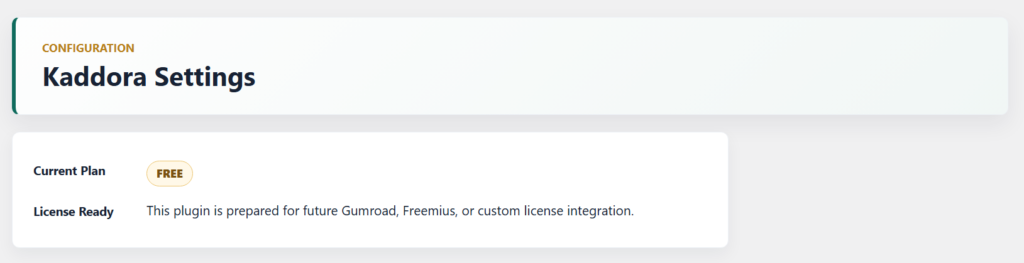
- Includes a future-ready subscription and license management architecture for SaaS scalability
- Prepared for Gumroad, Freemius, and custom license integration to support premium plugin activation and monetization
7. Tenants
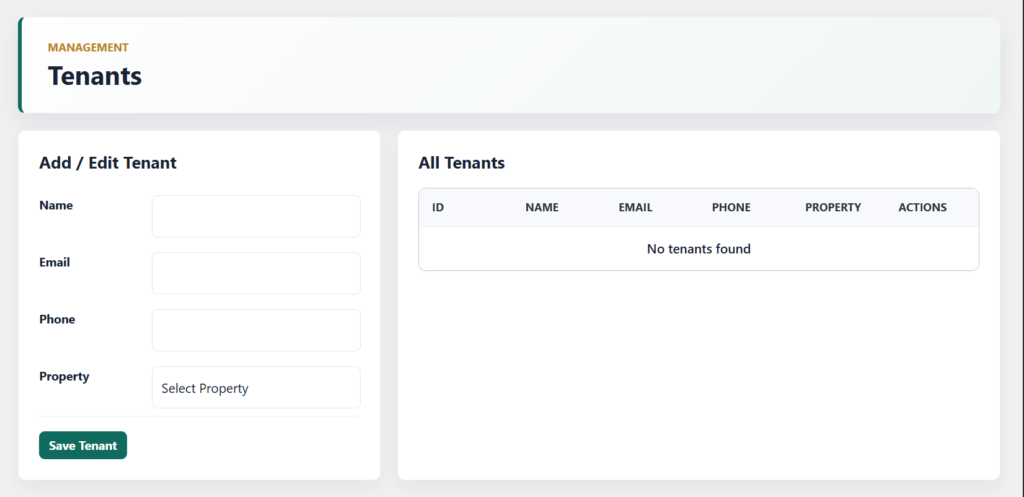
- Add and manage tenant details including name, email, phone number, and assigned property
- Link tenants with specific rental properties for organized rental tracking
- Edit or delete tenant records directly from the management dashboard
- View all tenant information in a centralized tenant listing table
- Supports future integrations for rent reminders, payment tracking, invoices, and tenant notifications
8. Payments
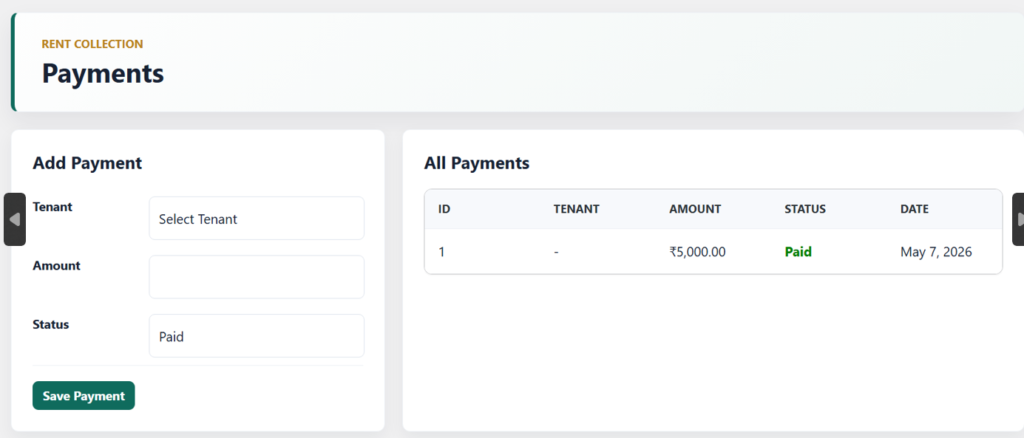
- Add and manage rent payments for individual tenants directly from the admin dashboard
- Track payment amount, payment status, and payment date in a centralized payment system
- Automatically synchronize payment records with invoice status updates
- Supports paid and pending payment tracking for better rent collection management
- Built for future integration with online payment gateways, automated billing, and recurring payment systems
9. Invoices
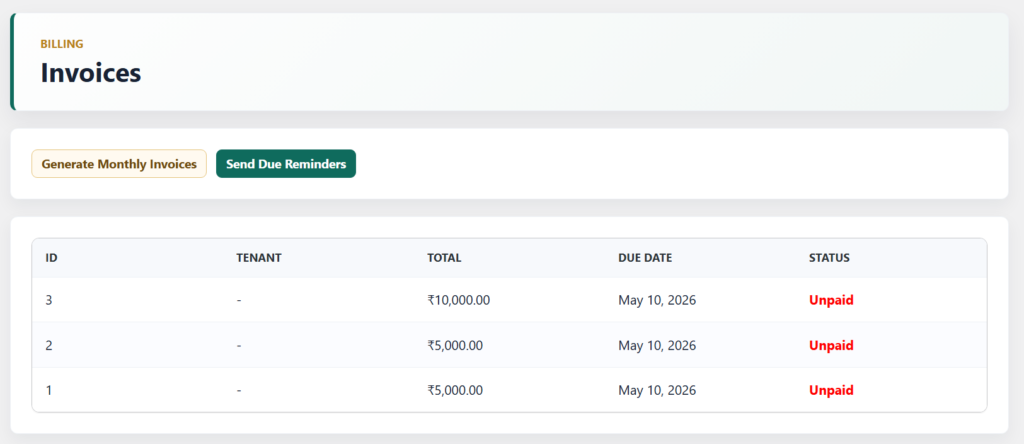
- Generate monthly rent invoices automatically for tenants and rental properties
- Track invoice total, due dates, and payment status from a centralized billing system
- Send automated due payment reminders directly from the invoice dashboard
- Automatically synchronize invoice status with successful payment records
- Supports future expansion for PDF invoices, recurring billing, and online payment integrations
10. Performance & Optimization ⚡
- Built with a modular architecture to reduce unnecessary code loading and improve scalability
- Uses optimized database queries and structured service layers for better performance
- Lightweight WordPress-based system developed with pure PHP and native APIs
- Supports reusable helper classes and centralized validation to minimize duplicate logic
- REST API architecture enables fast data communication and future external integrations
- Designed for future caching, cron automation, and scalable SaaS-level performance enhancements
11. Troubleshooting 🛠️
- Ensure WordPress 6.0+, PHP 7.4+, and MySQL 5.7+ are installed for proper plugin functionality
- Verify that all required plugin files and database tables are created after activation
- Enable
WP_DEBUGmode to identify PHP warnings, fatal errors, or integration issues - Check REST API availability if frontend dashboards or API features are not working correctly
- Confirm SMTP or server mail configuration if email reminders or notifications are not sending
- Disable conflicting plugins or switch themes temporarily to identify compatibility issues
12. FAQ ❓
1. What does the Kaddora AI Property & Rental Management plugin do?
This plugin helps manage properties, tenants, rent payments, invoices, reminders, and rental analytics directly from the WordPress dashboard.
2. Can I generate invoices automatically?
Yes, the plugin supports automated monthly invoice generation along with payment status tracking and due reminders.
3. Does the plugin support notification systems?
Yes, the plugin includes Email and WhatsApp-ready notification architecture for rent reminders and payment updates.
4. Is the plugin ready for future SaaS integrations?
Yes, the plugin is built with a scalable modular architecture and supports future integrations such as payment gateways, AI APIs, licensing systems, and external applications through REST APIs.
13. Support & Updates 🛎️
- Regular plugin updates will be provided for performance improvements and feature enhancements
- Future updates may include payment gateway integrations, PDF invoices, and advanced analytics
- Compatible with upcoming WordPress and PHP versions for long-term stability
- Technical support will cover installation issues, bug fixes, and compatibility guidance
- Security and optimization updates will be included to maintain reliable plugin performance
- Planned roadmap includes AI integrations, automation improvements, and SaaS expansion features
© Kaddora Tech